First match the symptom to your current order: the wrong named palette, Freestyle stuck at 0%, no visible paint, or Yui’s Brick Game. Check the active task and selected palette before treating the result as a bug. If Undo records an action but neither colour nor progress changes, document that state and use the corresponding diagnosis below; no universal fix has been verified.
September 18 follow-up: separate the four paint symptoms
A September 18 player follow-up still reports painting trouble, but does not provide a build number. Diagnose the exact branch: a named palette mismatch, Freestyle stuck at 0%, no visible paint at all, or the Yui Brick Game order. The developer’s August 10 reply distinguishes buying the requested palette from an abnormal Freestyle submission at 0%; it does not prove that every later paint symptom is fixed. Use Paint Palettes for the named sets and report the build as unknown when the player did not supply it.
Fixed in 1.0.011r versus still monitored
Officially fixed: the painting-palette UI bug. Still monitored as separate player reports: the Airbrush moves but applies no paint, progress remains at 0% after the correct palette, or older graphics hardware fails to render the painting result. Do not describe every Airbrush failure as fixed; update, retest the palette, then report the remaining symptom with GPU and build.
Named Paint Palettes: choose the set, not a look-alike color
Ramen Shop, Banana Barrel, Wind Amp and Patendo are palette names used by painting tasks; they are not device models. Buy the named set from the computer's paint/palette shop, select that set in the Airbrush interface, and cover the requested area. Community evidence links Banana Barrel to the Brick Game order; for the other three, follow the exact wording in your live order because associations can change. If the correct set still stays at 0%, record the device, order, palette, build and GPU before treating it as a bug.
| Named palette | What it means | Common wrong turn |
|---|---|---|
| Ramen Shop | A named paint set requested by an order | Searching for a device or using a similar Freestyle color |
| Banana Barrel | Named set documented for the Brick Game paint order | Painting with any yellow/brown instead of selecting the set |
| Wind Amp | A palette name shown by a painting task | Searching for an amplifier or a separate device page |
| Patendo | A named set, not a manufacturer lookup | Matching the visible color from the wrong palette |
- Buy the exact named palette on the shop computer
- Select that palette—not Freestyle—in the Airbrush panel
- Paint the area named by the customer order
- If progress remains 0%, reload once and capture build, GPU, palette, device and order
Quick fix order
Confirm that the current order actually includes a painting objective. Select the Airbrush tool, open the palette control, choose the color or palette named by the order, and verify that brush size and opacity are above zero. Rotate the device to a broad exposed face and test one short stroke. If the progress counter remains at 0%, undo once, save in a new slot, reload, restart the game, and retest before changing several settings at once.
- Read the exact paint objective
- Equip the Airbrush rather than a cleaning brush
- Select the required palette for customer work
- Raise opacity and brush size above zero
- Test a clear, paintable outer surface
- Save, reload, and retest on the current build
Required palette or Freestyle?
Customer orders can specify a particular palette or finish. Using a different owned color may produce a visible design in Freestyle but still leave the job objective incomplete. Freestyle is the creative mode: the official customization announcement says the Airbrush and purchased palettes can be used to create custom device designs. For a paid order, treat the task text as the authority and match the requested palette before assuming the counter is broken.
| Mode | Color rule | Success check |
|---|---|---|
| Customer order | Use the palette named by the objective | Requested paint progress increases |
| Freestyle | Use any palette you own | Paint appears; no customer objective is required |
| Unclear objective | Reopen the ticket before painting | Device and requested finish match the job |
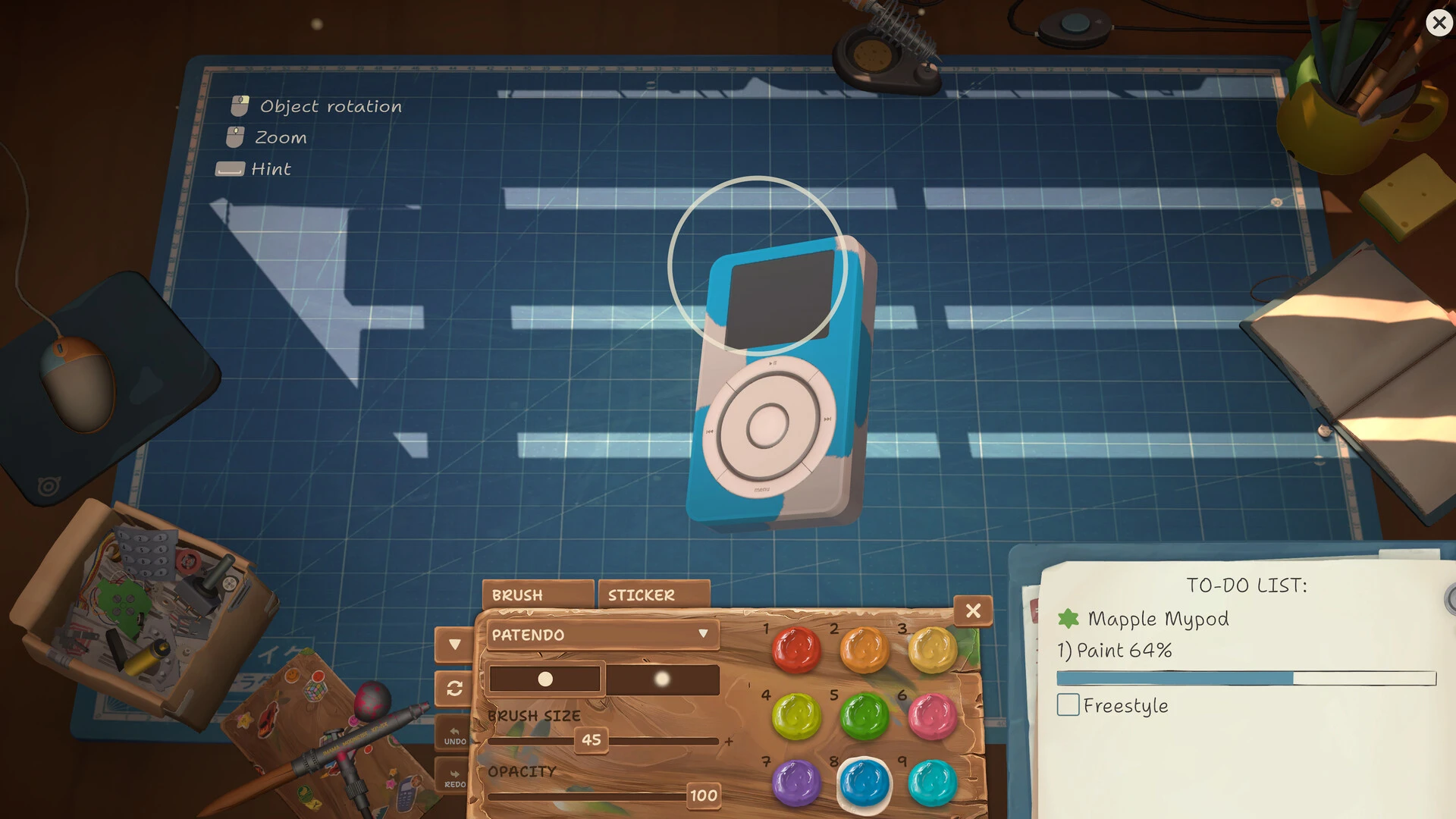
The palette menu reads PATENDO; the job notebook shows Paint 64% and Freestyle. Compare the selected set with the request, not just the visible color.
Paint appears but progress stays at 0%
This usually means the stroke and the objective are being evaluated differently. Confirm the correct customer device, requested palette, and paintable face. Avoid internal boards, glass, screens, labels, or parts that the game does not accept as exterior paint targets. Make one controlled stroke on the main shell, then check the objective before covering the whole device. If the correct palette and surface still leave 0%, preserve the save and record the mismatch as a reproducible report.
Airbrush moves but no color appears
Check opacity first, then brush size, palette selection, and the target surface. Try a high-contrast color on a broad shell so a faint stroke is not mistaken for no stroke. If Undo becomes available even though nothing appears, the game may be registering input without rendering paint; this behavior has been described in current Steam reports. Do not keep painting blindly. Undo, save separately, reload, and compare the same device and settings after restart.
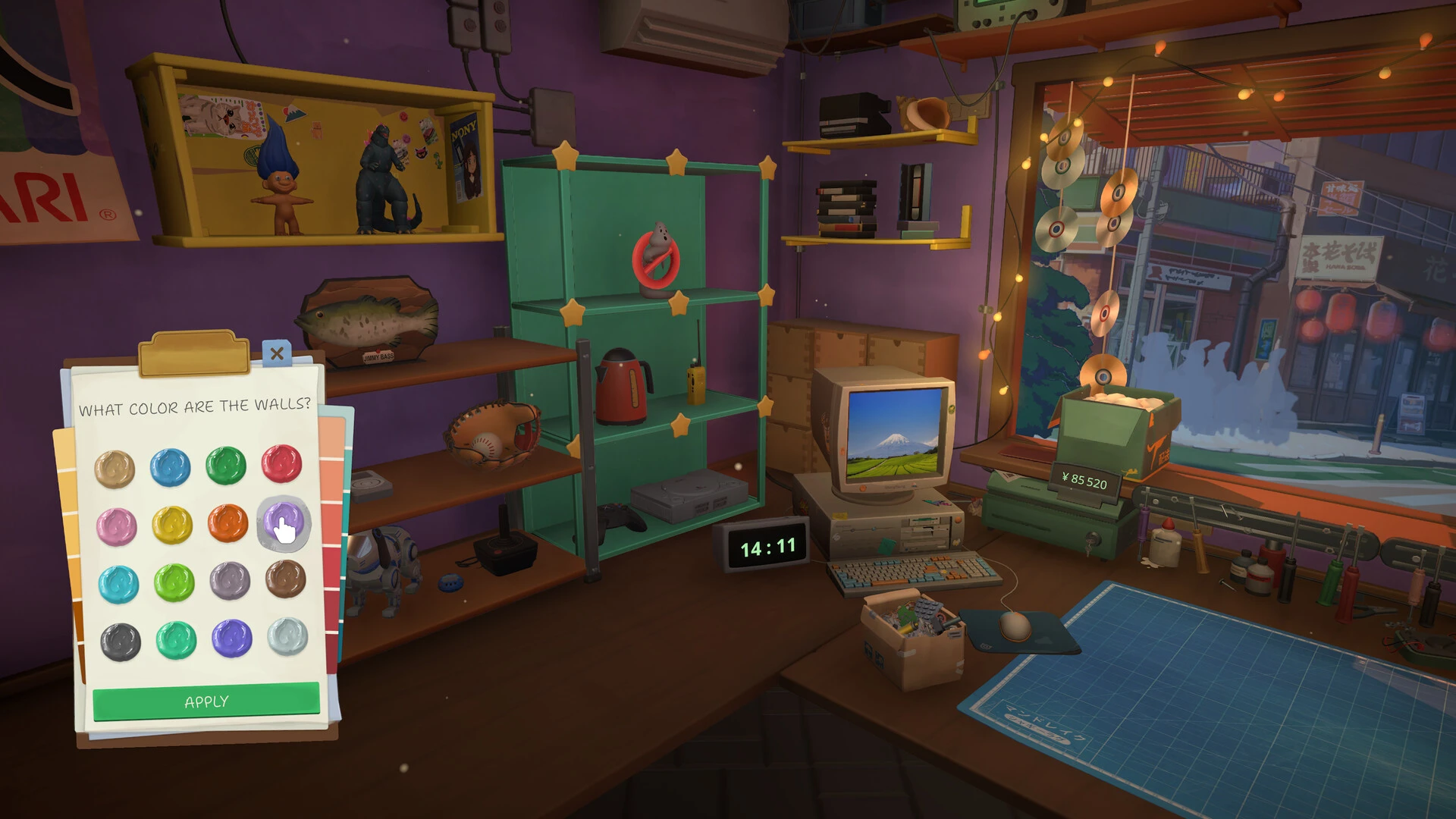
This is the wall-color menu, not the device airbrush palette. Changing the workshop walls does not select the named set for a repair order.
Reports after version 1.0.010r — old threads, one recent reporter
The two monitored threads were created on August 17 and August 29, not on September 25. Their latest visible September 25 replies are both from the same account, Solarrizz: one says the Airbrush records an action through Undo but shows no paint or progress, and the other says the Brick Game problem persists and the player does not want to rely on a suggested mod. This supports saying the older problem is still encountered; it does not establish two independent new reporters or a September 28 outbreak. Keep the four diagnostic branches separate and do not present a third-party mod as the only or guaranteed fix.
What to include in a useful bug report
Record the game build, device model, order source, exact objective text, selected palette, brush size, opacity, and whether Undo activates. Capture the device and 0% counter in one screenshot. State whether Freestyle works, whether another device accepts paint, and whether the same save fails after a full restart. That evidence helps distinguish a palette mismatch from an input, rendering, target-surface, or progression problem.
Airbrush problems on older GPUs
A current report names an NVIDIA GeForce GTX 680 and a story order blocked at the Airbrush stage; developer FUNTUL replied that the team is working on a fix. This confirms that one older-GPU case is being investigated, not that every invisible stroke has the same graphics cause. Record GPU model, driver, graphics preset, window mode, whether the paint UI and palette appear, whether the brush moves, whether Undo activates, and whether a broad shell shows any color. Try the ordinary palette, opacity, and surface checks first, then attach those results to the report.
Airbrush troubleshooting checklist
Change one variable at a time and stop after the first confirmed result.
- Current build is 1.0.010r or later
- The job includes a paint objective
- The correct device is on the bench
- The required palette is selected
- Opacity and brush size are above zero
- The test stroke is on an exterior shell
- A separate save exists before reload
- The report includes objective, settings, screenshot, and build
Research links
These are the primary pages used to check the facts and current release context in this guide.
Official information, observable release behavior, and community reports are deliberately separated. A community report is not presented as a universal fix until it can be reproduced or supported by current patch notes.