The Eggotchi job looks like a small hardware repair, but its saved data carries the real story consequence. This page contains route spoilers. Choose the full data-restoration outcome. A screen-only repair can make the device usable, but it does not complete the same story branch. Preserve a save before returning the device so you can compare both outcomes without repeating the early shop progression.
Quick route answer
Choose the full data-restoration outcome. A screen-only repair can make the device usable, but it does not complete the same story branch. Preserve a save before returning the device so you can compare both outcomes without repeating the early shop progression.
Finish the physical repair first
Inspect the Eggotchi, clean every reachable surface, and replace the confirmed missing or broken components. If parts are required, source a matching donor rather than relying on random boxes. Do not hand the device back as soon as the display works if a data objective is still available.
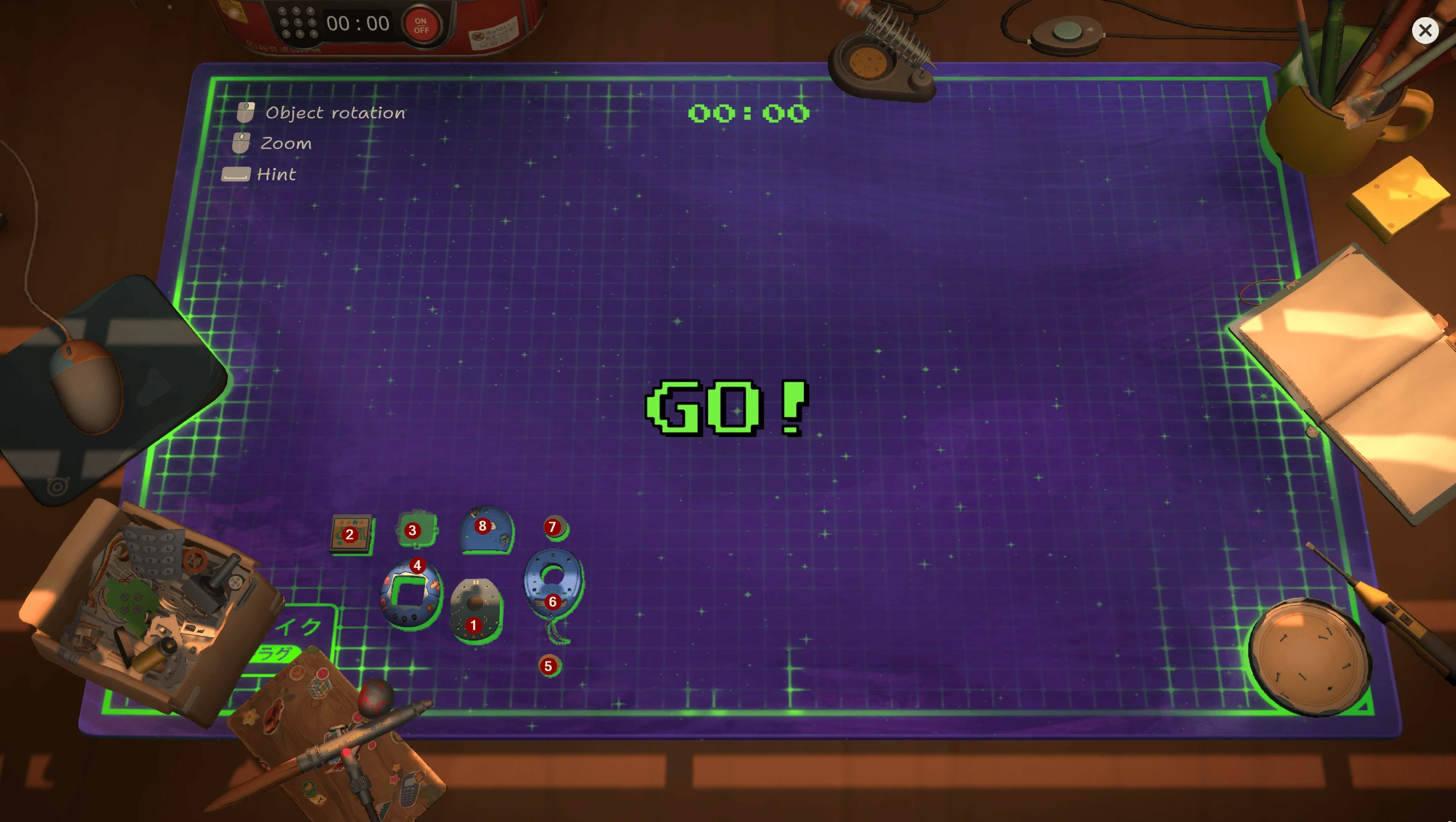
Eggotchi display, shell pieces and small internal components. Competition layout; red numbers are the source author’s annotations.
Restore the stored data
Complete the data recovery before the hand-in. The restored information reveals family history and leads to the positive callback. The game uses the difference between repairing an object and preserving what it means to its owner as the heart of this branch.
Ending impact
The restored-data path is one of the four positive customer arcs needed for the Happy Ending. Continue until the family-related scene appears if you are pursuing the Secret Ending. If that later scene never triggers, reload before the hand-in and confirm the data task was not skipped.
Safe save plan
Keep one save before dismantling, one before the return conversation, and one after the positive callback. This gives you a clean repair fallback, a branch comparison point, and a verified route checkpoint without overwriting your blind playthrough.
If the data option does not appear
Return to the device and verify that every required layer, cleaning target, and compatible replacement is complete. Check the task wording and any available data or software operation before reassembly. If the physical repair is complete but the expected story option is absent, use the save made before hand-in and record the build, device state, and completed objectives. Do not substitute a real Tamagotchi recovery method; ReStory's Eggotchi workflow is an in-game system. Check the current Steam announcement and discussion hub before treating a launch-week report as a permanent route requirement.
Screen repair versus story restoration
The two outcomes illustrate ReStory's central distinction between fixing hardware and preserving a person's connection to it. Returning a functional display satisfies the obvious symptom, while recovering the stored information reveals why the device matters to the girl and her family. For a blind role-playing run, choose according to your own judgment and preserve the checkpoint. For a completion route, the restored-data outcome is the documented positive branch. Continue after the hand-in until the family callback appears; that later scene is stronger evidence than a repaired screen or a single favorable line.
Research links
These are the primary pages used to check the facts and current release context in this guide.
Official information, observable release behavior, and community reports are deliberately separated. A community report is not presented as a universal fix until it can be reproduced or supported by current patch notes.