

CURRENT RELEASEFuzzby updateSTEAM BUILD ID26249628EARLIER TEASERIn development

Independent ReStory field guide

ReStory Guide: Trackers, Achievements, Devices & Repairs

Clear, spoiler-aware help from the first customer ticket to devices, tools, money, achievements, choices, and endings.

15+story hours50Steam achievementsAug 62026 release
ReStory electronics repair shop
OFFICIAL SCREENSHOT / STEAM
ORDER #09-10RESTORE THE MEMORYcare · tools · choices
★
FIXED!

What are you fixing today? Jump directly to the useful page.

EARLIER TEASER

Update timeline

The Fuzzby update is released, adding Fuzzby and the original Nony PlayMachine Controller. The story-progression fix is a separate beta_version branch for affected players. The previously teased device is still in development; this release does not confirm all earlier story additions.

ReStory Next Update: Free Content & Release Status

OFFICIAL MOBILE STATUS

ReStory mobile

Check ReStory mobile's Android listing, official iPhone and iPad update signup, and what is confirmed about pre-orders and release dates.

ReStory Mobile: Android, iPhone & iPad Status

TROUBLESHOOTING GUIDES

Current Problems

Start with today’s active symptom, preserve the save, and use the smallest reversible test.

ReStory guide · release edition

Start playing with a plan—not a pile of spoilers.

QUICK ANSWER

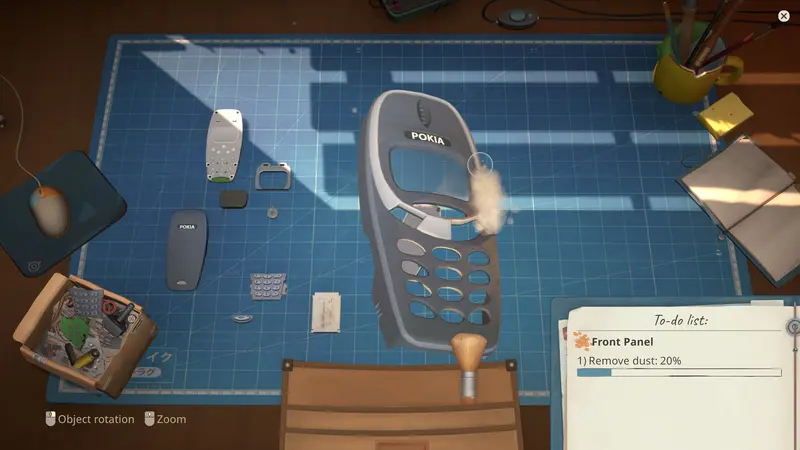
ReStory is a narrative repair-shop game set in mid-2000s Tokyo. Read each request, open the device in layers, clean exposed parts, replace only the confirmed fault, rebuild in reverse order, and keep enough cash for the next job.

01

Make your first shift manageable

Begin with the job in front of you: read the request, inspect the device and keep money for the parts it actually needs. Our beginner route helps you learn the shop without opening every story spoiler. Move to the walkthrough when you want to plan the next objective.

02

Fix the symptom you can see

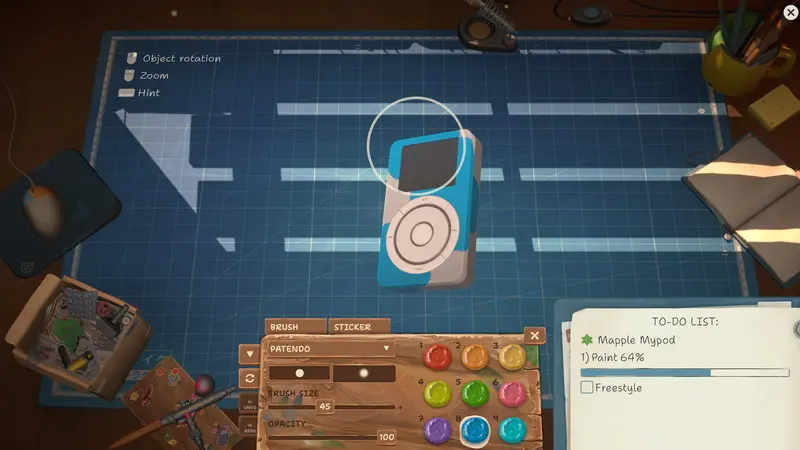
A part that will not fit, dirt that will not move and an unfinished paint objective need different checks. Choose the matching repair topic, then the exact device. Keep the current layer visible while comparing instructions; a similar-looking real console is not a substitute for the in-game model.

03

Spend on the next useful unlock

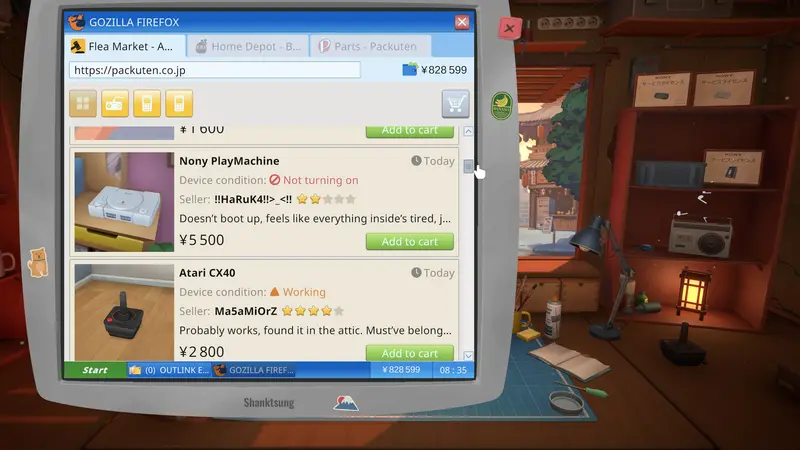
Before buying a tool, license or donor, name the job it will help finish. Compare the cost with your cash reserve and the actual reward. The money and parts guides explain that decision; historical sale tables are references, while the offer in your save decides this transaction.

04

Keep your story options open

Protect a save before an important conversation or customer hand-in. Character guides help you follow the next request; focused achievement guides help when a Steam unlock is missing. Read only the branch you need, and leave the ending comparisons until you want the wider spoilers.

05

Return to the task you left

Use the saved browser checklists to remember where you stopped, then confirm the live To-Do before continuing. A checked box does not change the game or unlock Steam achievements. Search by the exact device, customer or symptom when the next step is unclear.


Fuzzby update: current release and repair scope

The Fuzzby update is released, adding Fuzzby and the original Nony PlayMachine Controller. The story-progression fix is a separate beta_version branch for affected players. The previously teased device is still in development; this release does not confirm all earlier story additions.

Fuzzby update guide →
Useful first. Honest about uncertainty.

Official descriptions, release posts, public achievements, and current community references are kept separate from unverified route theories. Every article shows its sources and research date.

Read the editorial policy →

Start with a verified route

Answers built for the bench.

Every guide opens with a short answer, then shows the reasoning, checkpoints, current notes, and original sources.

Interactive repair card

A calmer workflow beats random clicking.

Use the same five-stage loop on every order. The checklist is saved only for this page session—nothing is uploaded.

Read the full repair workflow →
REPAIR_OS / CHECKLIST000%

Tap each stage as you finish the job.

Watch before you search spoilers

Official trailers & community play.

Start with the official overview, then use a complete community walkthrough only when a repair or route has genuinely stopped you.

Official videoLaunch trailerHaving trouble? Watch on YouTube →

The privacy-enhanced player loads only after you press Play. If the embed requests verification, use the direct YouTube link.

The wider repair counter

Useful places outside this site.

No single guide can replace current player reports. These links lead to the original community pages.

Complete guide index

Browse every topic.

WikiWiki index→StartBeginner guide→WorkshopRepair guide→ShopMoney guide→StoryChoices guide→RoutesEndings guide→PeopleCharacters→CatalogDevices→EquipmentTools→CompletionAchievements→HelpFAQ→EndingSecret ending→EndingHappy ending→CharacterHashimoto guide→RepairSpare parts→ChoiceEggotchi data→ShopOpen the shop→ChoiceHashimoto choices→ChoiceGangster choice→ChoiceStudent choice→ChallengeAssembly competition→ProgressionLicenses→ToolSonic bath→LicenseRobodog license→CompetitionAkiba Championship→ShopInternet speed→ToolsBest early tools→PartsKeep or shred→OrdersEmail orders→AchievementOrigami achievement→PatchPatch 1.0.013r→ShopMarketplace→CharacterHoshino Yui→CharacterYamato Takeru→CharacterInspector Sakamoto→CharacterAoyama Takumi→CharacterHaruhi guide→DeviceEggotchi→DeviceAtari 2600→DeviceAtari CX40→DeviceNony PMP→DeviceAtari Lynx→ProgressionComplete walkthrough→SupportSave file location→AchievementGhost in the Frame→AchievementRonin→AchievementMelancholy→AchievementGlobalization→SiteAbout→SiteEditorial policy→SitePrivacy→PricesDevice Sale Prices→AchievementsMissable achievements→FixAirbrush fix→DeviceAutorolla WT2000→FixStory progression→LegalTerms→FixMac launch error→DevicePalaloid→RoadmapSeptember update delayed→Bug fixSoldering fix→AchievementGalactic Cleaning→DeviceNony PlayMachine→StoryKaito→DevicesXI-box→DevicesIDM ThinkerDad→DevicesBlueberry Curl→AchievementFrugal→GuideSteam Deck→GuideNerdio W-91F→GuidePaint palettes→GuideJack of all trades→GuidePerformance fixes→DeviceRobby→StoryStory explained→AchievementAkiba Feels Like Home→AchievementLegend of Akiba→StatusCurrent problems→UnlockUnlock-ToolKit & hacking→EvidenceDoes ReStory use AI?→TechnicalSystem requirements→BeginnerHow long to beat→AboutContact→Post-storyPost-story guide→Shop5-star shop rating→BeginnerDemo status→PlatformPlatforms & VR support→RealismIs ReStory realistic?→Controller settingsController settings→

A REPAIRER'S METHOD

Why ReStory rewards a repair plan, not fast clicking

ReStory looks relaxed because every job happens on a tidy mat, but the game is really asking you to manage three records at once: what the customer requested, what the device physically needs, and what the shop can afford. Most expensive mistakes begin when those layers are mixed together. A broken screen is not permission to replace every imperfect part, and a clear hardware repair does not always complete a story task. Before touching the screwdriver, read the ticket, check the To-Do list, and decide which result the hand-in will actually test.

At the bench, work from evidence rather than from the shopping list. Rotate the device, identify its current outer layer, and remove only the fasteners that belong to that layer. Put reusable parts aside in a consistent order. Clean, solder, or paint when the job asks for that operation; buy a replacement only when the condition or task proves that the original cannot be reused. This slower first minute usually saves more time than guessing, because the wrong purchase can consume cash while leaving the real blocker untouched.

Progression problems need the same discipline. ReStory can wait on an unread email, an unreturned device, a customer callback, a shop interaction, or a choice that belongs to a different save. Advancing days repeatedly changes several variables at once and destroys useful evidence. Preserve a checkpoint, confirm the visible objective, finish the smallest pending hand-in, and change one condition before checking again. If nothing moves, record the build, platform, last successful step, and exact on-screen state before reloading or reporting it.

That is the standard used across this guide: a useful answer names the checkpoint, the expected result, and the next safe branch when the result does not appear. It also says whether the evidence comes from the developer, a reproducible observation, or an unresolved player report. The goal is not to make every decision for you. It is to help you keep the story, the device, and your save understandable enough that one mistake never forces a blind restart.

Research standard

Useful first. Honest about uncertainty.

Official descriptions, release posts, public achievements, and current community references are kept separate from unverified route theories. Every article shows its sources and research date.

Read the editorial policy →