Start at the in-game shopping interfaces and match the exact device family and version. Player reports describe parts listings, random Parts Boxes and donor devices, but the available first-party evidence does not confirm that every needed component is always sold as a single item. Diagnose first, verify what the live listing actually contains, and use a compatible donor only when it is the clearest controlled source.
Where to look, what you can buy, and how to match it
Check the parts-shopping interface for the required component, Parts Boxes for random stock, and the device marketplace for a compatible donor. These channels are recorded in player reports; availability and exact sales units can vary, so the current screen wins over any guide. Match the device family, technical version and named component before paying. Do not assume that a donor is the only route or that a vague listing contains the part.
How spare parts work
After inspection, identify each missing or broken component and check the current shopping interfaces. If the exact part is listed, verify its model/version and price. If it is absent or unclear, compare a same-family, same-version donor and retain only confirmed usable pieces. Parts Boxes are random stock, not proof that a specific item will appear.
Inventory boxes, random Parts Boxes, and delivery boxes are different
Use the current interface label and purpose before moving or buying anything. The August 20 official announcement records a one-click action that puts all gadget parts into inventory, but it does not document capacity, stacking, discarding, or cancel-order rules. The exact current button location is still awaiting a current-build capture. If an apparently empty order or donor box remains, use the FAQ checklist instead of assuming the storage action deleted the order.
| Box or action | Documented use | Evidence limit |
|---|---|---|
| Stored reusable parts | Keep known components for later compatible repairs | Current capacity and stacking are not established |
| Random Parts Box | Buy random stock and progress named box achievements | Does not guarantee one needed component |
| Order / delivery box | Holds an order, delivered device, or donor context | An open or empty-looking box is not automatically disposable |
| One-click inventory action | Official August 20 note says it places all gadget parts into inventory | Current label, location, and every box interaction need a current-build capture |
Buy the right donor device
Search the marketplace for the same model. A broken or non-working listing is often cheaper and can still be the best donor when the specific pieces you need remain usable. Color does not matter for compatibility, but the device family and technical version do. Do not buy before you know which parts are actually missing.
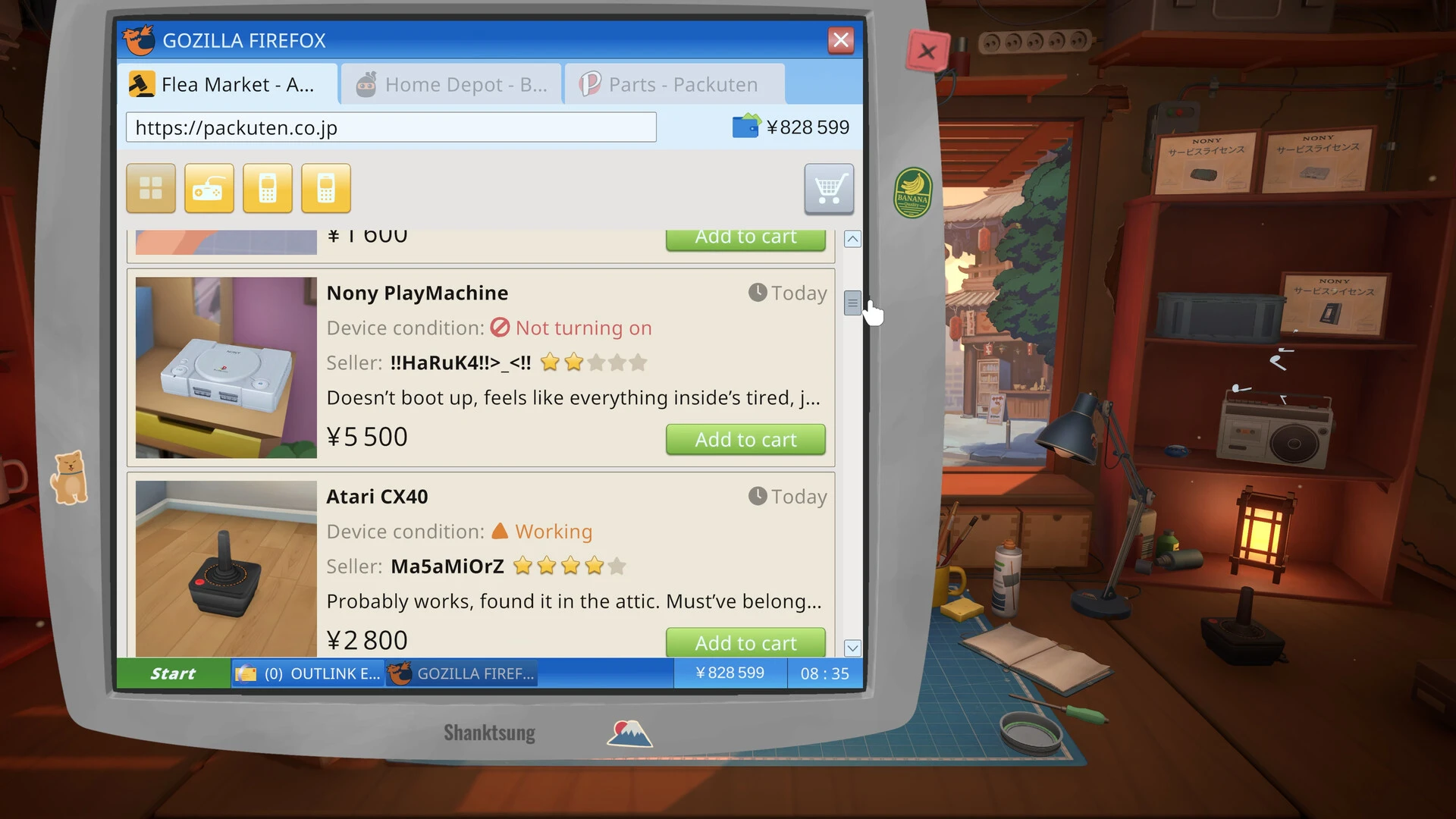
Marketplace decisions start with the listing: compare condition, price, seller information, license access, and the parts or resale purpose before buying.
Dismantle and store usable pieces
Open the donor carefully, clean it when inspection requires it, and separate working parts from broken ones. Move reusable parts to the stash, discard unusable components, then return the customer's device to the bench. Install the stored replacements and rebuild in reverse order.
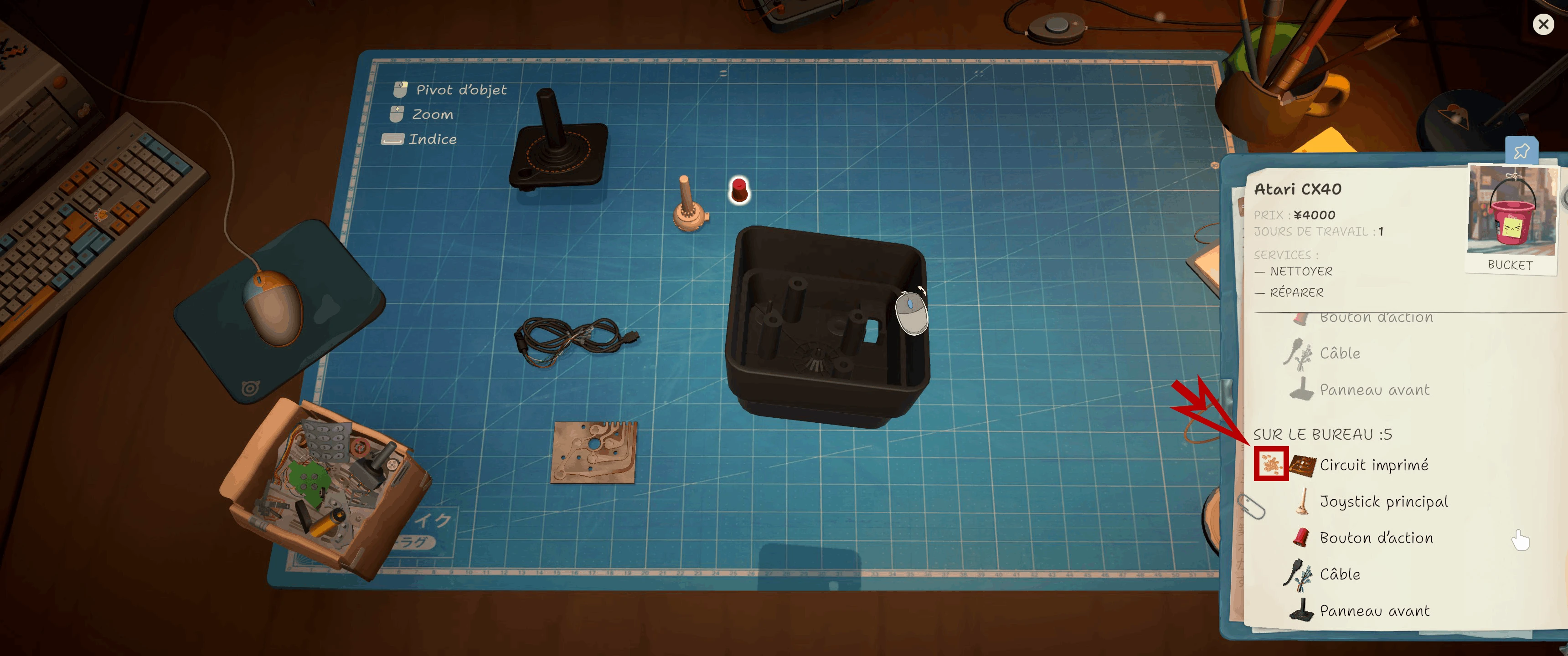
The CX40 notebook marks a dirty circuit board. Check this status before cleaning or replacing a part.
When parts boxes are worth it
Parts boxes provide random stock and can contribute to achievement progress, but they are not a reliable answer to one urgent repair. Use them when spare cash and broad future value justify the gamble. For a blocked customer ticket, a correctly matched donor is usually the more controllable purchase.
Avoid expensive donor mistakes
The cheapest listing is not automatically the best value, and a working unit may cost more than the entire repair reward. Calculate the donor price, expected reusable parts, current job payout, and future inventory value. Keep bill and active-order money separate before buying speculative devices.
- Diagnose before shopping
- Match model and technical version
- Choose a donor for the needed component
- Store every usable leftover part
- Treat random boxes as optional inventory
- Keep a margin and seller-risk buffer
Example donor decision
Suppose an Eggotchi is missing a screen lens, front panel, and button cell. Finish cleaning first so the missing list is final, then compare marketplace units of the same version. A cheap non-working donor can be preferable to an expensive working device when those three components are usable. After delivery, dismantle the donor, store the required pieces and every other healthy component, discard only confirmed broken parts, then rebuild the customer's unit. The remaining stock has future value, but do not count that value as cash until it actually prevents another purchase or supports a profitable repair.
Build an organized parts stash
Sort reusable components by device family and version, not by vague appearance. Record which donor supplied the part and whether it was cleaned and tested during a successful repair. Reserve pieces for accepted customer jobs before using them on marketplace flips or competitions. Periodically clear confirmed junk so a crowded stash does not hide the one valid component you need. This discipline makes donor buying cumulative: a purchase can solve today's ticket and reduce the cost of later work, but only when the leftovers remain identifiable and are not accidentally consumed by a lower-priority project.
Donor decision table
Choose the purchase from the number of confirmed missing pieces and the remaining margin. This table is a pre-purchase check, not a promise that an untested listing contains a healthy component.
| Situation | Best first move | Why |
|---|---|---|
| One common part is missing | Compare a direct listing with the cheapest matching broken donor | Avoid paying for a complete working device |
| Several parts are missing | Look for a same-model, same-version donor | One delivery can cover several confirmed needs |
| No urgent repair needs the stock | Skip the donor or buy only from surplus cash | Inventory value is not the same as available cash |
| Donor price plus likely extras exceed the payout | Wait, choose another job, or use existing stock | A completed repair can still lose money |
| Listing is vague about the needed area | Treat the component as unverified | Seller rating cannot guarantee an internal part |
Flashlight donor missing from the parts market
A FUNTUL developer confirmed a missing flashlight donor as a bug and said it should be addressed in a following patch. Because the 1.0.011r notes do not name that item explicitly, update first and check both marketplace and donor listings. If it is still absent, report the current build, order, and required part instead of sacrificing the customer's original frame.
Why can't I throw away an empty donor box?
An apparently empty donor can remain in the box because the device may still be repairable, cleanable, or resellable. Do not assume the container is disposable just because the useful part is gone.
- Open the donor and check every remaining task
- Look for dirty or broken pieces that still have value
- Check whether the device can be rebuilt or sold
- Reload once only if no valid action remains
- Report the build, donor model, box state, and screenshot if it is still blocked
Research links
These are the primary pages used to check the facts and current release context in this guide.
Official information, observable release behavior, and community reports are deliberately separated. A community report is not presented as a universal fix until it can be reproduced or supported by current patch notes.