Choose Assemble with Care for object repair and personal stories, PC Building Simulator for component diagnosis, or Cozy Game Restoration for cleaning and collecting retro cartridges. The table compares seven released games by the activity you want more of.
Official store descriptions; Cozy Game Restoration release checked November 8, 2026. The comparisons are editorial judgments, not hands-on reviews or benchmarks. Screenshots are credited official promotional images.
Choose the part of ReStory you want more of
Start with the activity you would miss most: repairing an object, learning about its owner or keeping a shop afloat. The table also separates cleaning small collectibles from washing large surfaces.
| Released game | Choose it for | Important difference | Steam platforms |
|---|---|---|---|
| Assemble with Care | Object repair and personal stories | Focused object puzzles rather than an ongoing repair business | Windows |
| The Repair House: Restoration Sim | A varied restoration workshop | Instruments, antiques and other objects beyond electronics | Windows |
| PC Building Simulator | PC diagnosis, components and customer jobs | PC hardware and software rather than mixed consumer electronics | Windows |
| Trash Goblin | Cleaning finds, upcycling and shop customers | Fantasy trinkets rather than electronic fault diagnosis | Windows |
| PowerWash Simulator | Methodical cleaning and visible transformation | Pressure-washing rather than taking devices apart | Windows |
| Unpacking | Personal stories told through belongings | Organizing possessions rather than repairs or customer orders | Windows / macOS / Linux |
| Cozy Game Restoration | Cleaning, restoring and collecting retro game cartridges | Cartridge restoration and collecting are the focus | Windows / macOS |
- Repair: compare Assemble with Care, The Repair House and PC Building Simulator.
- Story: compare Assemble with Care for people and Unpacking for belongings.
- Shop: compare PC Building Simulator for technical customer work and Trash Goblin for cleaning and selling finds.
- Cleaning: compare Trash Goblin for small objects and PowerWash Simulator for pressure-washing.
Assemble with Care — objects and the people attached to them
Maria’s repair work connects old objects with the lives of the people who own them. That makes this a useful comparison when the meaning of a repaired possession is what draws you to ReStory. The official premise follows a travelling antique restorer, so the objects are part of a personal story rather than simply another billable task.
Choose it for object puzzles and character context. The watch pictured below shows a repairable object laid out as a puzzle, a different emphasis from tracking a continuing shop economy. If your favorite moments in ReStory are the conversations around an object, this is a sensible first store page to open. If you primarily want recurring orders, licenses and shop finances, compare the business-focused options too.
Assemble with Care — official description and screenshots

The watch puzzle makes the object itself the focus; the surrounding story gives that repair personal context. Official store screenshot; not captured by ReStory Helper.
The Repair House: Restoration Sim — a broader workshop
The official description focuses on dismantling, cleaning, fixing, painting and selling varied objects, including instruments, antiques and game-related hardware. Workshop development and finding items are part of that premise. It is the broader restoration option here when moving between different kinds of objects appeals more than staying with one hardware category.
Choose it for workbench activity and a wider range of restoration jobs. The overlap is the process of bringing an object back into use, not an identical cast of customers or branching story. The screenshot shows distinct work areas for painting, washing and bench work. Before buying, use the live store’s recent reviews and requirements to assess suitability rather than treating thematic similarity as a guarantee of quality or performance.
The Repair House — official description and screenshots
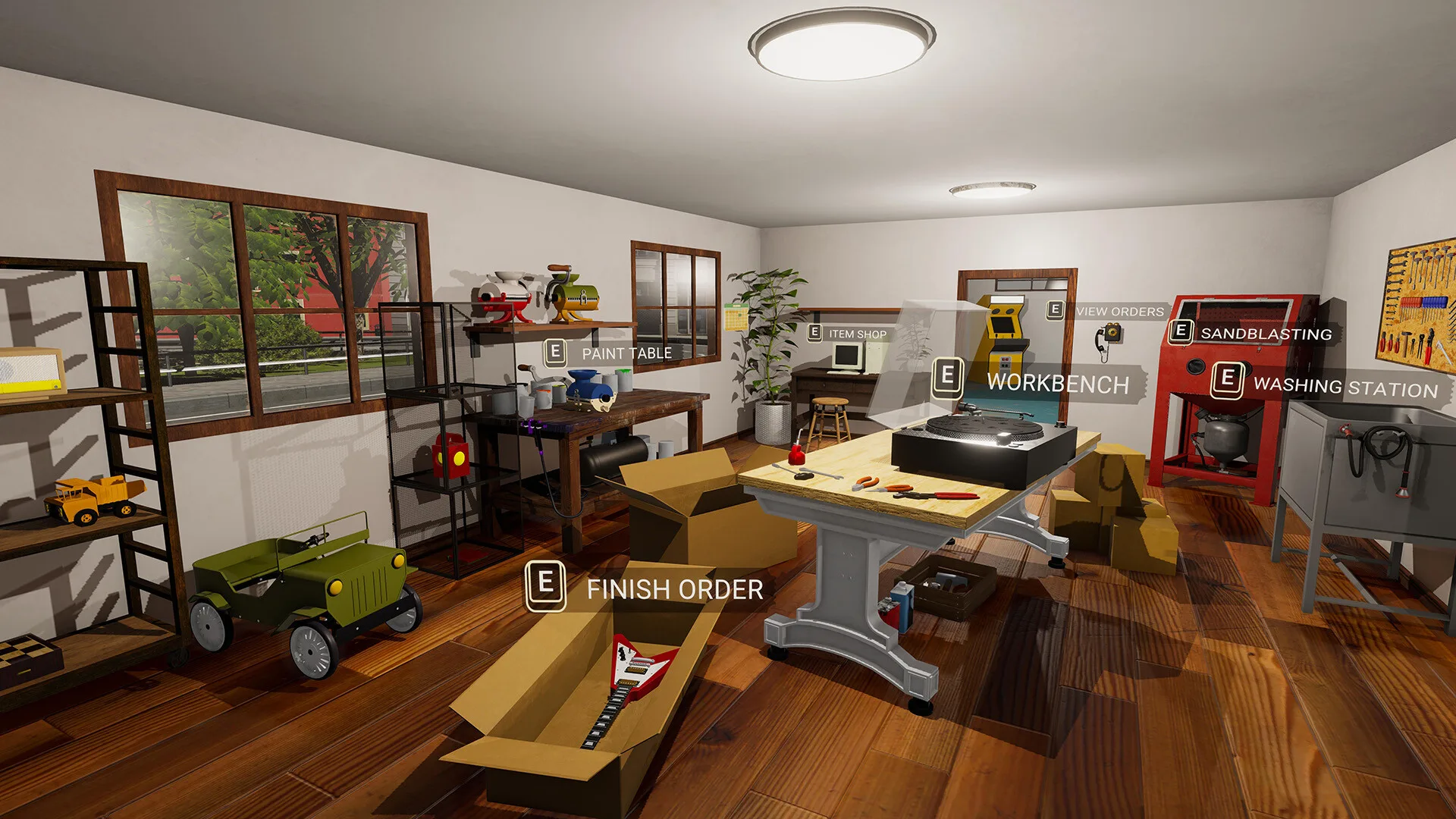
Separate workbench, painting and washing stations illustrate the broader restoration-workshop premise. Official store screenshot; not captured by ReStory Helper.
PC Building Simulator — the computer-repair business
PC Building Simulator centers on diagnosing, fixing and building PCs with licensed components. Its career mode has you handle customer work and keep a business profitable. That combination makes it the clearest starting point in this list for readers who want more computer components and technical jobs alongside business decisions.
Choose it when the parts and the job queue are the attraction. Its scope is PC hardware and software, rather than ReStory’s mixed collection of nostalgic consumer electronics. The open case in the screenshot illustrates that component focus. Wanting a similar customer-work rhythm does not mean wanting the same hardware: compare this with The Repair House if you would rather restore many object types than specialize in computers.
PC Building Simulator — official description and screenshots
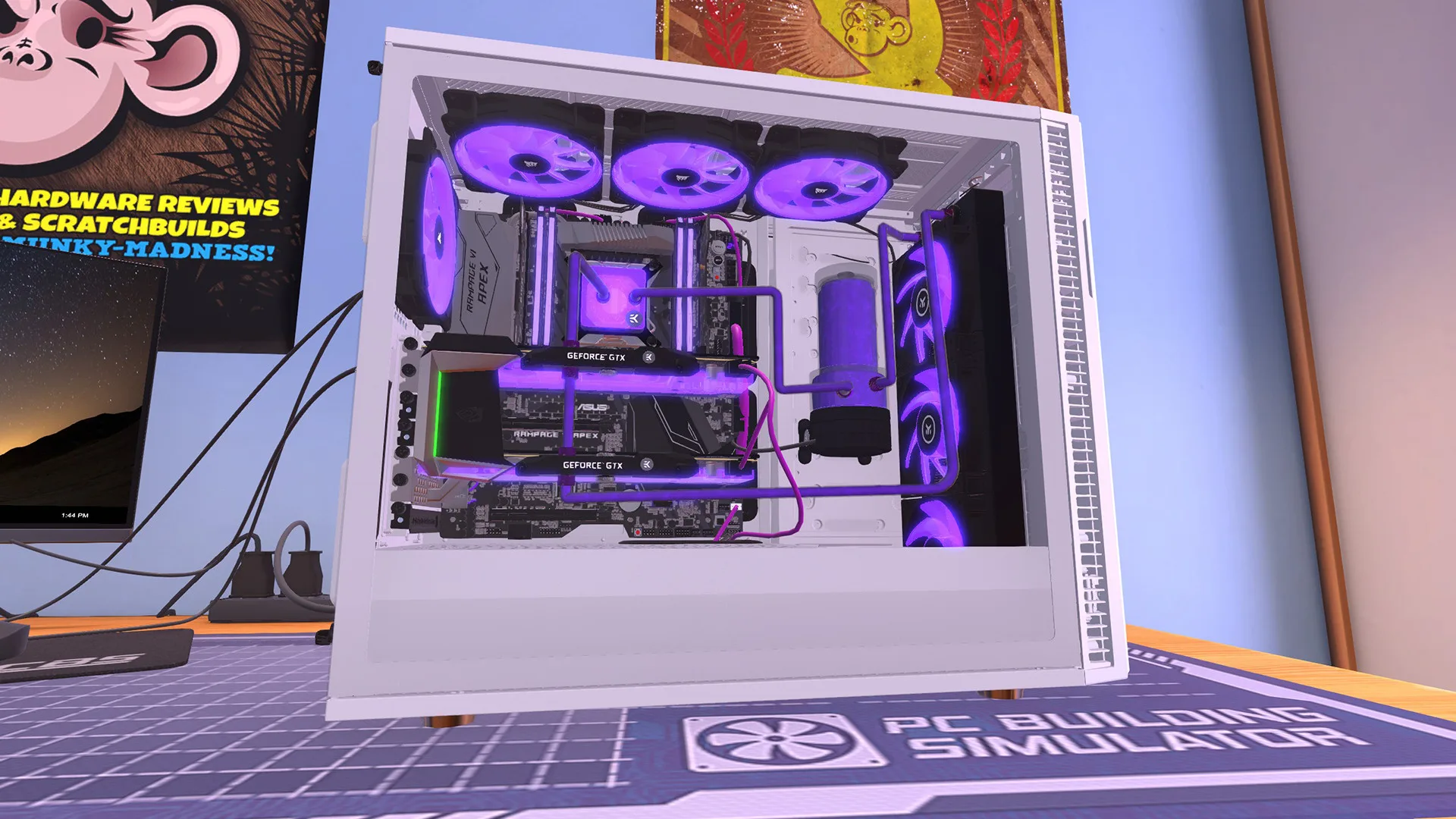
A detailed PC build shows the component-focused side of this comparison; it is not a ReStory device model. Official store screenshot; not captured by ReStory Helper.
Trash Goblin — cleaning finds and serving customers
Trash Goblin combines uncovering and cleaning trinkets with upcycling, selling to customers and improving your shop. It is a useful alternative when you enjoy turning an unwanted object into something someone wants. The fantasy setting changes the objects and the atmosphere, while retaining a connection between hands-on object work and a shop.
Choose it for that cleaning-and-shop loop. Expect fantasy trinkets and creative combinations, not a simulation of electronic faults. The pictured find is still partly encased, which illustrates the uncovering stage rather than a finished sale. If you mainly like inspecting circuit boards and diagnosing components, start with the PC comparison instead; if you like the transformation from unwanted find to useful object, this is a closer preference match.
Trash Goblin — official description and screenshots
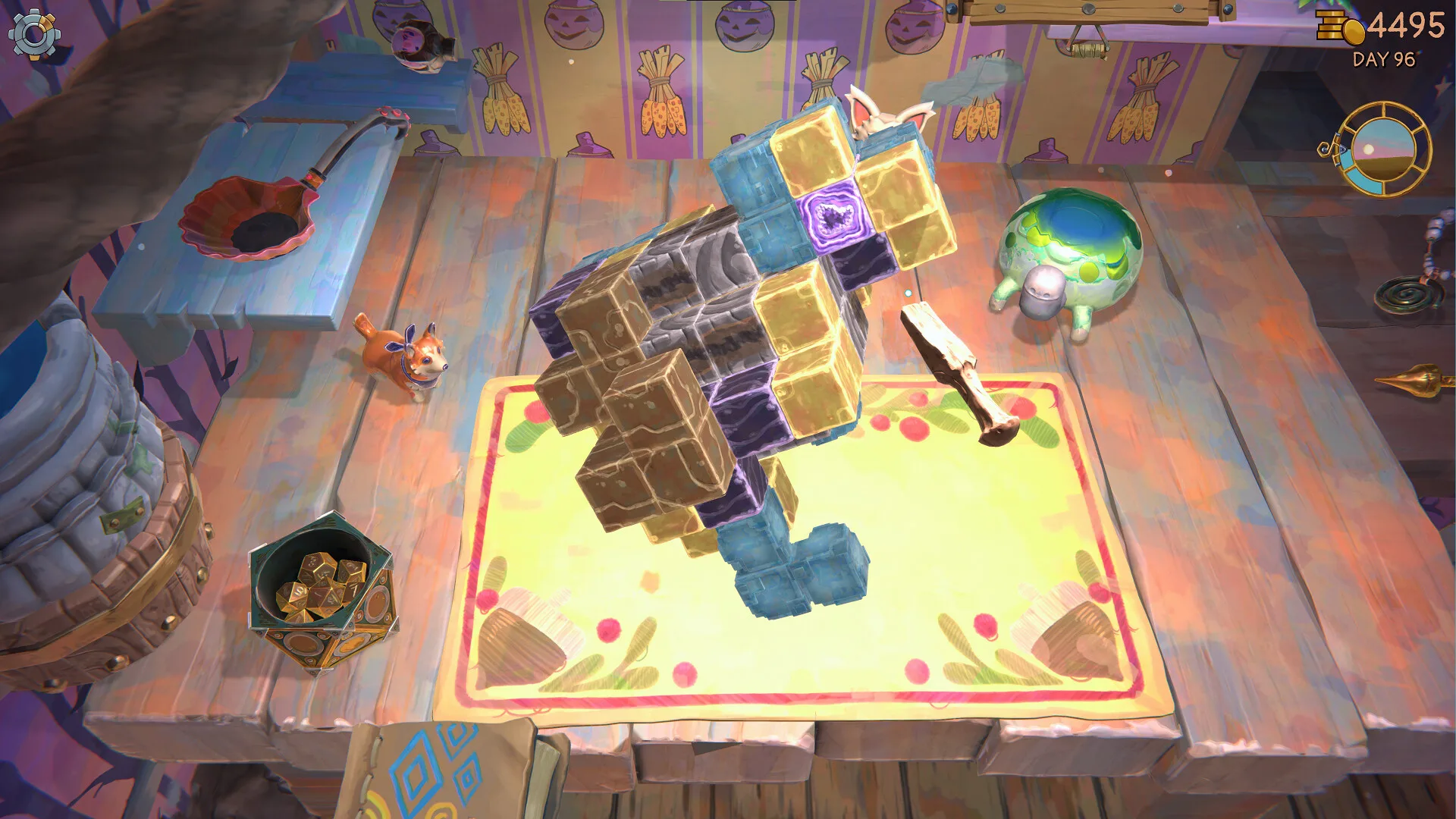
Uncovering a find is part of the trinket-restoration loop, before cleaning, upcycling and selling it. Official store screenshot; not captured by ReStory Helper.
PowerWash Simulator — the cleaning result
PowerWash Simulator puts its central activity in the name: removing dirt with pressure-washing tools. Its closest connection here is the satisfaction of gradually making an object or environment clean. The blue van screenshot makes the distinction easy to see: progress comes from washing a surface, rather than opening a case and working through internal layers.
Choose it for visible transformation and methodical cleaning. It is not the option to choose specifically for replacing boards, repairing electronics or matching component layers to a customer order. Compare it with Trash Goblin if cleaning is your main interest: the useful choice is between pressure-washing spaces and objects, or working with small finds that feed a fantasy shop.
PowerWash Simulator — official description and screenshots
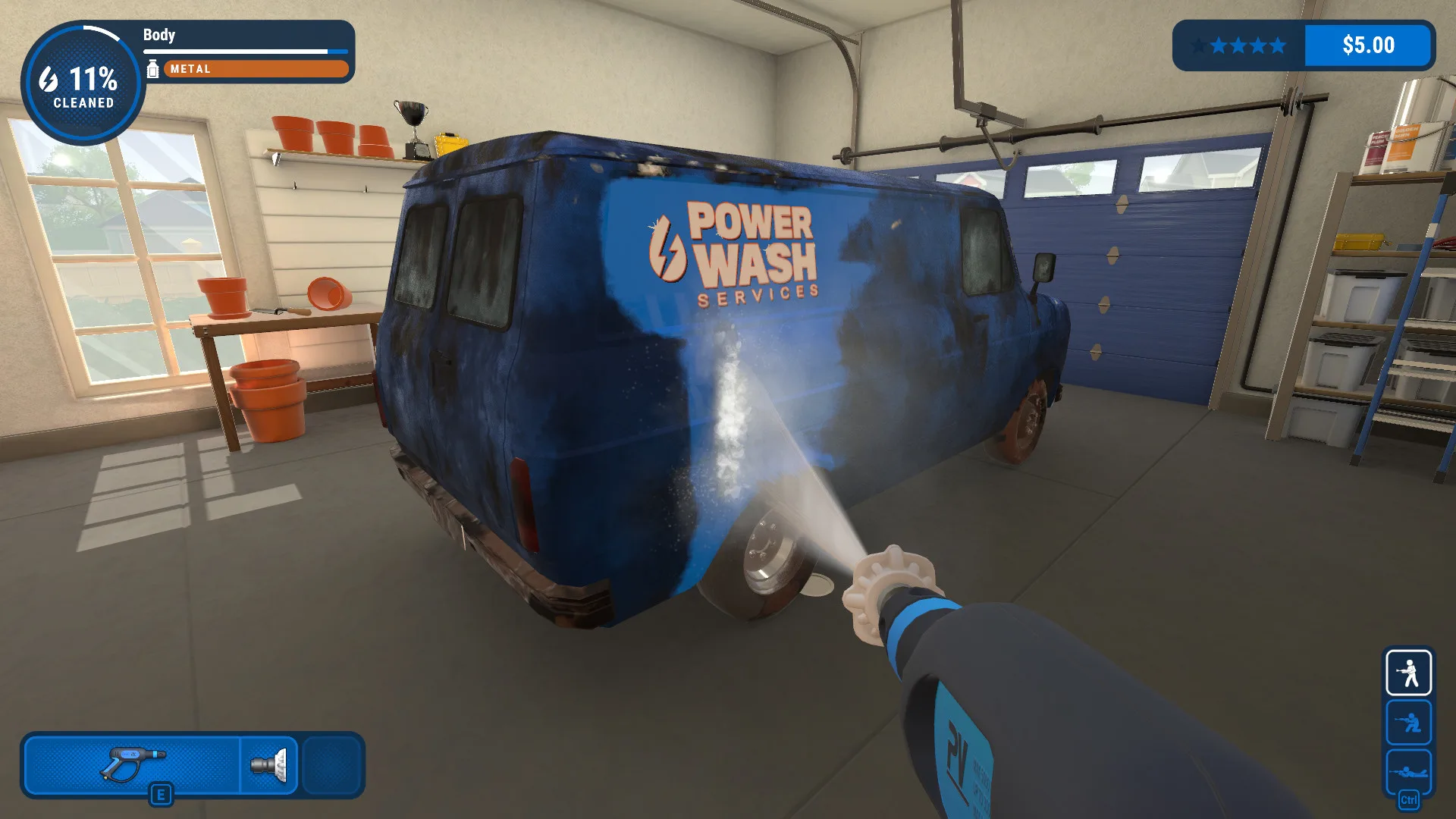
The cleaned strip on the van demonstrates the visible before-and-after result this pick is chosen for. Official store screenshot; not captured by ReStory Helper.
Unpacking — stories told through possessions
Unpacking asks you to fit belongings into new homes while learning about a life through those objects. It belongs in this list for readers interested in the relationship between everyday possessions and personal history. The moving boxes, clothes and computer in the screenshot put that relationship in a domestic setting instead of a repair shop.
Choose it for organizing and environmental storytelling. It is a thematic alternative, not a repair or shop-management simulator. If the human context of ReStory’s objects matters to you more than tools or sales, compare this with Assemble with Care: one tells a story through where belongings fit, while the other makes repairing objects part of its story. Neither comparison implies identical pacing, controls or difficulty.
Unpacking — official description and screenshots
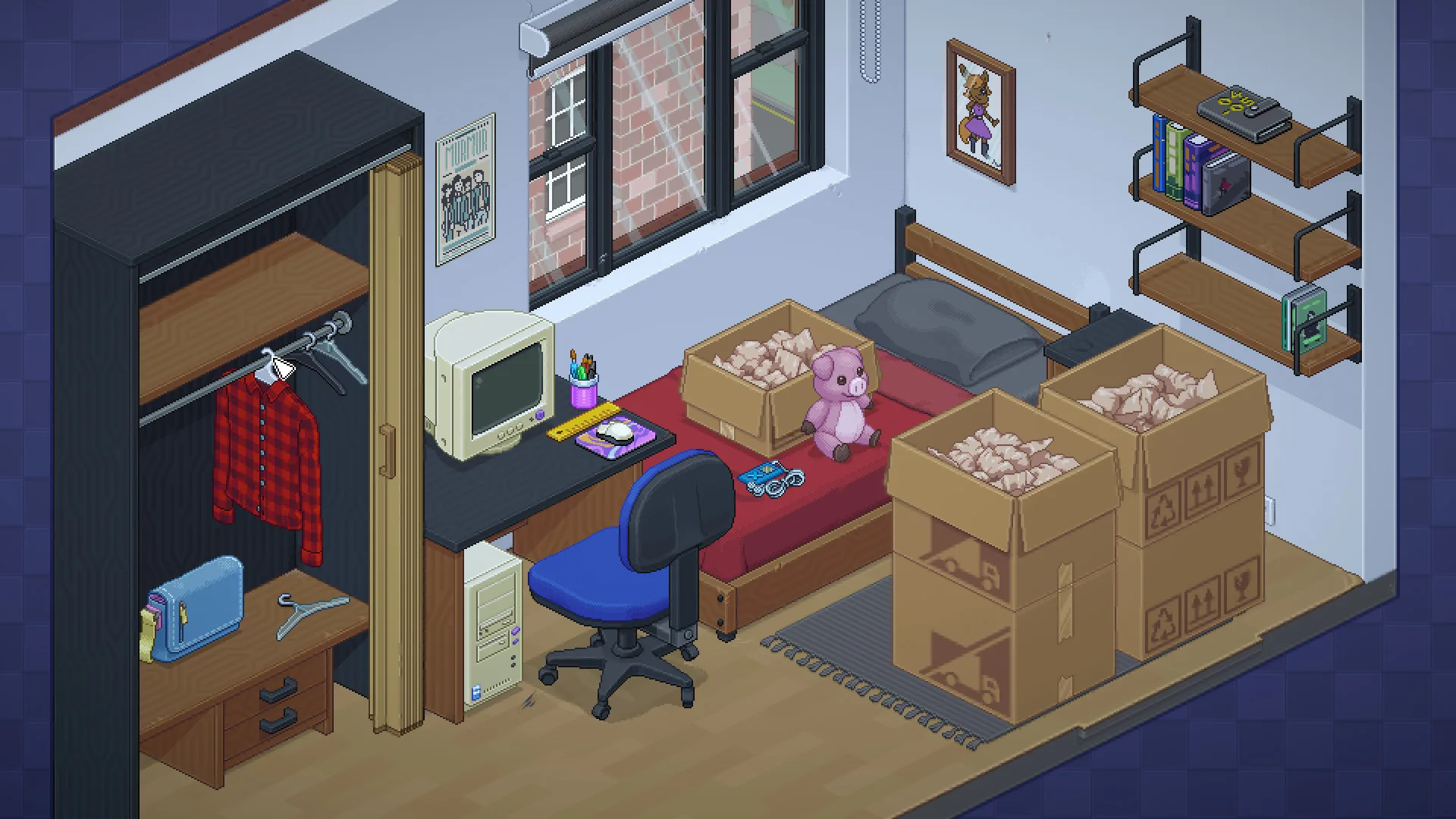
Moving boxes and everyday belongings establish a life through placement, rather than through repair work. Official store screenshot; not captured by ReStory Helper.
Cozy Game Restoration — clean and collect retro cartridges
Parasol Corp released Cozy Game Restoration on Steam on November 4, 2026. Choose it if the satisfying part of ReStory is taking something grubby off the bench and getting it ready to display. You work on old game cartridges, removing stickers and grime as you build a collection.
If you mainly want to trace faults on a board or work through customer stories and shop expenses, start with the PC Building Simulator or Assemble with Care entries instead. The official description of Cozy Game Restoration centers on the cartridges themselves.
Cozy Game Restoration — official screenshots and trailer on Steam
ReStory overview and official trailer
| ReStory vs Cozy Game Restoration | ReStory | Cozy Game Restoration |
|---|---|---|
| Objects | Consoles, phones and other electronics | Retro game cartridges |
| Hands-on work | Disassemble, diagnose, clean and reassemble | Unwrap cartridges, peel stickers and lift grime |
| Story | Customer requests and branching conversations | The store description centers on the collection |
| Long-term loop | Finish jobs and build up a repair shop | Restore games and expand the collection |
| Pressure | Balance parts spending and bills around jobs | The publisher describes no timers or failure |
| Steam platforms | Windows and macOS | Windows and macOS |
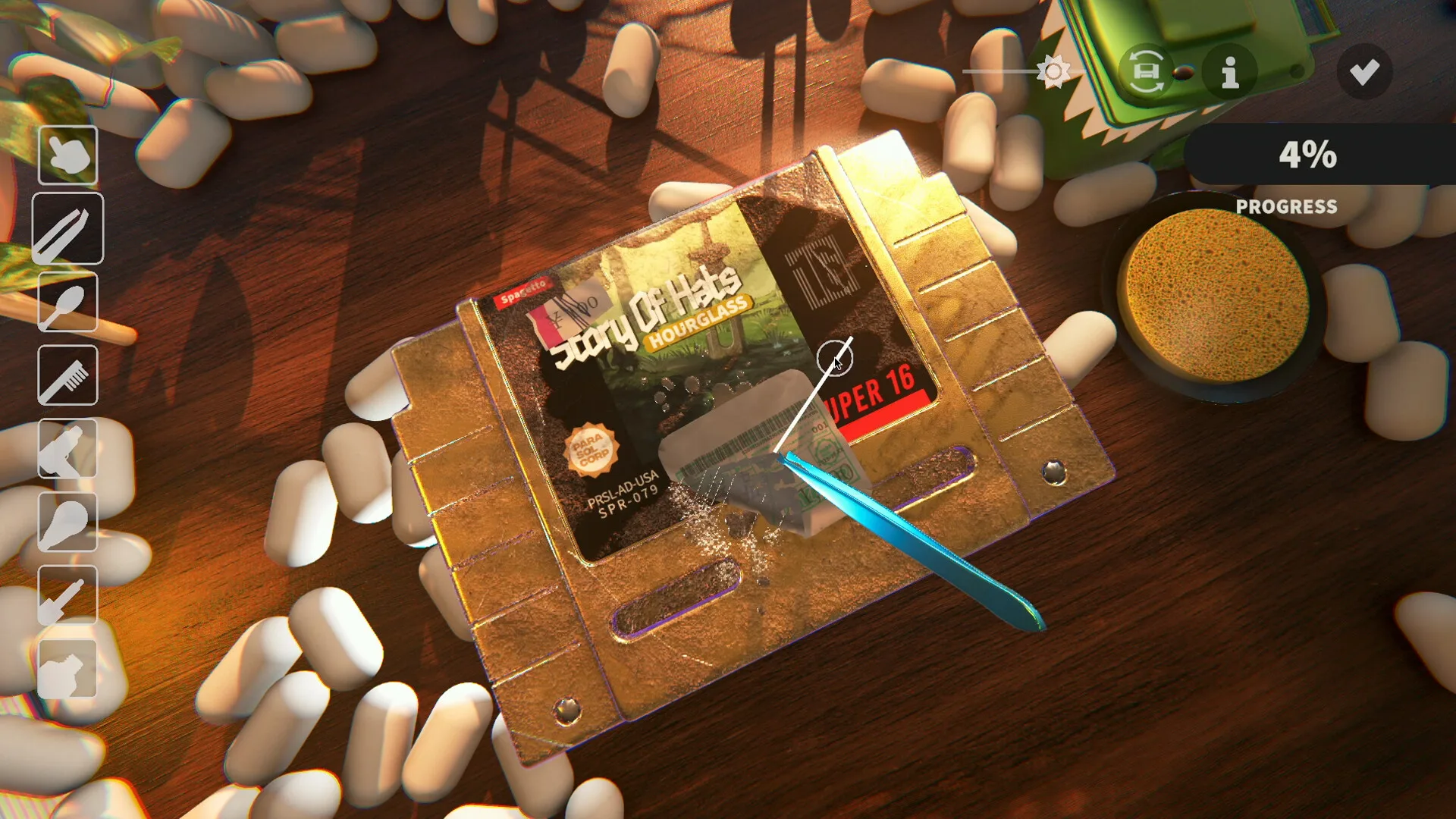
Removing an old sticker is one of the hands-on cartridge restoration tasks. Official store screenshot; not captured by ReStory Helper.
FAQ: Which alternative is closest to electronics repair?
For PC diagnosis and component work, compare PC Building Simulator. For a wider range of object restoration, compare The Repair House. Assemble with Care is a different choice when repair puzzles and personal stories matter more than business simulation. Choose by the activity you want; there is no universal winner supported by these descriptions.
FAQ: Are all of these repair games?
No. PowerWash Simulator matches the cleaning activity, while Unpacking matches object-based storytelling and careful placement. Neither should be described as an electronics repair simulator. The table names the activity each game actually shares with ReStory so that a thematic recommendation is not mistaken for a mechanical replacement.
FAQ: Are these confirmed for my Steam Deck, Mac or console?
No blanket platform claim is made here. Check the current official listing for the specific game and version, including system support, accessibility information, regional prices and purchase options. Appearing in this comparison does not establish Steam Deck verification, a console release, a mobile port or performance on your hardware.
How this comparison was researched
This guide compares the activities described on the seven official Steam pages. Cozy Game Restoration’s release status was checked on November 8, 2026. The recommendations are editorial judgments, not hands-on reviews or benchmarks. Screenshots are credited to the original publishers.
The Assemble with Care launch trailer from ustwo games dates to September 19, 2019. Its Apple Arcade messaging is historical; use the current store page for availability.
Watch the historical Assemble with Care launch trailer — ustwo games (2019)
Still have things to finish in ReStory?
Use the achievement guide to plan remaining goals, check Post-story play before starting a new save, or see what is confirmed in the Roadmap. If you are still deciding whether you are finished, the How Long to Beat guide separates story length from cleanup and the Complete Walkthrough keeps progression tasks in order.