Cannot reach the main menu? Record the launch stage and visible error; in-game graphics settings are not available yet. Already playing with low FPS? Compare one reversible setting in the same scene. For heat or high GPU load, record actual FPS and temperature, follow your hardware maker’s limits, and stop if unsafe. A historical 30 FPS result is not a universal fix.
Keeps crashing — current scenarios
Use this table to locate the failure before trying a workaround. Note your OS, game build, last visible screen and whether any save has loaded. A splash-screen failure is not the same as a save-load crash or in-game stutter. Preserve existing saves; send the exact error and reproduction steps through official support rather than deleting a slot.
| Failure stage | First safe check / next report | Scope |
|---|---|---|
| Process never starts | Record OS, build and launch result; compare official system requirements | Diagnostic classification; cause and recovery not verified |
| Splash appears, no main menu | Record the last visible screen and error before any save loads. In-game frame caps and resolution are inaccessible here; report the startup stage | Diagnostic classification; cause and recovery not verified |
| Menu works, crash when loading a save | Preserve the save; record which slot and whether another existing slot loads. Do not delete, overwrite or edit saves to test | Diagnostic classification; cause and recovery not verified |
| In-game low FPS or stutter | Repeat the same scene; change one frame-cap, V-Sync or display setting at a time using the checks below | Diagnostic classification; cause and recovery not verified |
ReStory Crashes or Keeps Running When Alt-Tabbing
Status: Player reported / Watching. Separate two symptoms: the game continues running at full activity while minimized, or it crashes when you return after Alt+Tab. Update the game, protect the save, test once with each overlay disabled separately, and compare borderless with windowed mode. Record Windows version, GPU, display mode, overlay state and the Unity crash log. Do not run an unfamiliar EXE or DLL as a recommended fix.
Can't Change Graphics Quality?
Status: Player reported / Watching. A current report describes Graphics Quality being greyed out and stuck on High even after changing resolution or other options. No official universal fix is confirmed. Record the current build, platform, display mode, resolution and a screenshot of the disabled control before changing anything else. Test one display setting at a time, fully close and reopen the game, and note whether the control remains disabled. Do not edit unknown configuration files or install a third-party DLL as a first step.
Low and Ultra Look the Same
A separate player report says Low and Ultra appeared identical after an August patch, with visible jagged edges. Treat that as a reported graphics-quality or anti-aliasing symptom, not proof that every preset is broken. Compare the same device and camera angle after a full restart, record the selected preset and resolution, and capture both results for a bug report if no visual difference remains.
Graphics Settings Keep Reverting
If graphics settings or resolution change after switching devices, tinyBuild’s known-issues page documents cross-device syncing as an applicable troubleshooting branch. The page also contains historical issues: it does not establish the cause of every current reset, disabled setting or crash. Record the two devices, build, exact setting, before/after values, display mode and Steam Cloud state. For a reset on the same device, keep that case separate. Preserve the save and report one setting comparison through official support; do not disable cloud syncing or change several options merely to force a result.
Quick answer: identify the symptom before changing settings
ReStory performance reports currently cover several different problems: stutter or hitching, input delay, blurry or low-resolution output, settings that do not persist, and freezing reported with Japanese selected. There is no official universal fix for this current cluster. Record a repeatable baseline, change one setting at a time and keep language, platform and Steam Deck behavior separate. Keep a crash after returning from Alt+Tab separate from a game that merely continues running in the background.
| Symptom | First controlled check | Evidence state |
|---|---|---|
| Crash after Alt+Tab / focus change | Compare borderless and windowed with overlays disabled one at a time | Player reported; cause unconfirmed |
| Stutter / hitching | Repeat the same scene after a clean restart | Current player reports |
| Japanese-language freezing | Compare the same save once in English and once in Japanese | Current player report; no official fix confirmed |
| Input lag / motion clarity | Test one frame-cap or V-Sync change at a time | Configuration-dependent |
| Low or blurry graphics | Confirm native resolution, display mode and scaling | Reported after updates |
| Settings not applying | Apply, close the menu, reopen and record the value | Player reported |
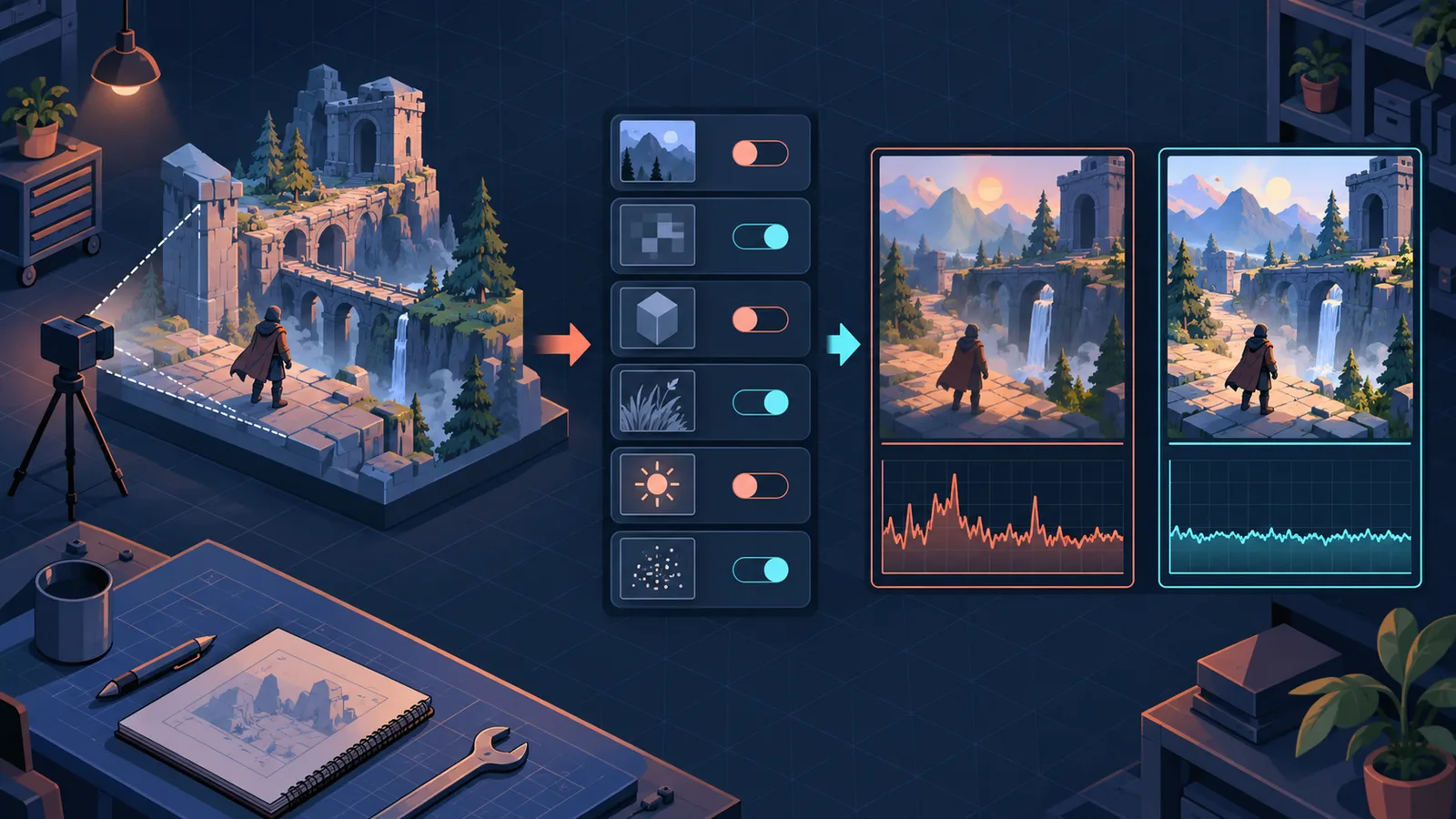
Original editorial baseline-test loop. It is not captured ReStory performance data or a guaranteed optimization.
Very Low FPS Even on a Capable PC
A September 26 player reports a steady 5–10 FPS on a Ryzen 7 7800X3D and Radeon RX 9070 XT while other games run normally. The post has no build, driver, resolution, display mode, repeatable scene or reply, and it does not say performance was previously normal and suddenly collapsed. Treat it as one report, not proof of an AMD-wide defect, an official bug or a reason to replace hardware. Record the game build, platform, CPU/GPU, driver, resolution, display mode, exact save and scene, and the frame-rate tool. Use the same scene as a baseline, change one reversible setting from the safe checks below, compare the result, and restore the original setting if it does not improve. This is a diagnostic record method, not a ReStory Helper-tested performance fix.
- Separate sustained low FPS from frame-time spikes, input delay and Alt-Tab crashes
- Capture one baseline in the same save, scene and camera position
- Change only one reversible in-game setting at a time
- Record before and after values with the same frame-rate tool
- Avoid registry edits, BIOS changes, forced security-software shutdowns and unknown optimization patches
Create a clean baseline
Update the game and graphics driver, restart the game, close optional overlays for one comparison run, and use the same save and camera position. Record desktop or Steam Deck, operating system, GPU, native resolution, display mode, language, frame cap, V-Sync and current build. Do not change several driver and in-game options together.
High CPU Temperature / 91°C
Separate CPU temperature, GPU temperature, GPU utilization and stutter: they measure different things. A GPU reading of 100% alone does not establish a defect. The historical reports below concern particular machines and scenes, not a safe-temperature threshold for every CPU or GPU. If your system is unstable, shuts down unexpectedly or exceeds its hardware maker’s limits, stop testing. Do not deliberately remove a frame limit to provoke overheating. While the system is operating safely, record the build, CPU/GPU models, resolution, scene, monitoring tool, actual FPS and both temperatures plus GPU utilization. Save the original setting, then change only one reversible frame limit and repeat the same scene for a comparable observation period. Check whether the measured FPS actually follows the limit; record what changed and what did not. Keep display mode, resolution, VSync and background tasks unchanged for that comparison. A 30 FPS cap is a historical comparison value, not a required best setting or promised temperature reduction. Restore the original setting if the comparison is not useful. Do not adjust BIOS, voltage or registry settings, disable protective controls, or install an unknown DLL. For a report, attach the scene and setting comparison through official support, checking logs and screenshots for personal information first. No current-build measurements have been collected by this site.
| Check | What it tells you | Evidence |
|---|---|---|
| CPU temperature and a 30 FPS cap | An August 12 player using an i9-13900HX / RTX 4070 reported about 91°C, then about 65°C with a cap; the same player reported different VSync and selling/browser results | Historical observation by one player; no universal temperature reduction |
| GPU temperature and utilization | An August 11 RTX 4070 Ti report described about 80°C and heavy load; developer FUNTUL asked for system specifications in reply #2 | Player observation plus developer response, not confirmation that every high-load GPU is faulty |
| Repeat one safe scene | Compare actual FPS, CPU/GPU temperature and GPU utilization with one reversible frame-limit change | Diagnostic procedure; site measurements pending |
| Current game build and monitoring tool | Whether another report describes your version, hardware and measurement conditions | Required context, not proof of the same cause |
Stutter, hitching, or freezing with Japanese selected
A current Steam topic reports hitching or freezing when Japanese is selected. To isolate it, use a protected save, reproduce the same scene in the current language, switch only the language, restart if prompted and retest the same action. A difference is useful report evidence; it does not prove the translation itself is the root cause. Do not present the 1.0.011r asset optimization as a fix for this newer report.
Input lag, motion blur, and frame pacing
First confirm whether the problem is delayed input, camera blur or uneven frame pacing. Test the in-game frame cap and V-Sync separately, then compare fullscreen and borderless at native resolution. Keep the option that improves the repeatable symptom on your system. This guide does not prescribe third-party frame-generation tools or a universal driver override.
Low, blurry graphics or settings that revert
Confirm the game is using the monitor’s native resolution and note any render-scale or upscaling option. Apply one change, leave the settings screen, reopen it and check whether the value persisted. If the value reverts, capture before/after screenshots and the settings file state rather than repeatedly lowering unrelated options.
Steam Deck versus desktop
Valve currently rates ReStory Verified on Steam Deck, but that compatibility result is not a universal FPS or temperature benchmark. Test Deck issues with the built-in controls and default configuration first. Keep desktop GPU, driver and overlay troubleshooting out of a Deck report unless you reproduced the same symptom on both.
What to include in a useful performance report
Include build, platform, operating system, GPU, driver, display resolution and refresh rate, display mode, frame cap, V-Sync, language, exact scene, save state and a short before/after recording. State which single option changed and whether the result survived a restart.
Mac download shows 0 KB before the game starts
A 0 KB installation is not an FPS, graphics, or overheating problem. Follow the Mac launch error guide to verify Steam delivery first; return here only after the game installs and a runtime performance symptom can be reproduced.
Research links
These are the primary pages used to check the facts and current release context in this guide.
Official information, observable release behavior, and community reports are deliberately separated. A community report is not presented as a universal fix until it can be reproduced or supported by current patch notes.