Put down the soldering tool, return the affected part to the work surface, and pick it up again. If the guides stay missing, leave manual cleaning, re-enter it, and inspect the same board. Some players report that this refreshes the blue interaction lines after Sonic Bath or multi-cleaner use. This is a workaround reported by players, not a guaranteed official fix.
Quick answer: restore the board state first
Put down the soldering tool, return the affected part to the work surface, and pick it up again. If the guides stay missing, leave manual cleaning, re-enter it, and inspect the same board. Some players report that this refreshes the blue interaction lines after Sonic Bath or multi-cleaner use. This is a workaround reported by players, not a guaranteed official fix.
- Stop soldering when the blue guides disappear
- Put the tool down
- Return the part to the bench and pick it up again
- Exit and re-enter manual cleaning
- Reload a protected save if the state still does not reset
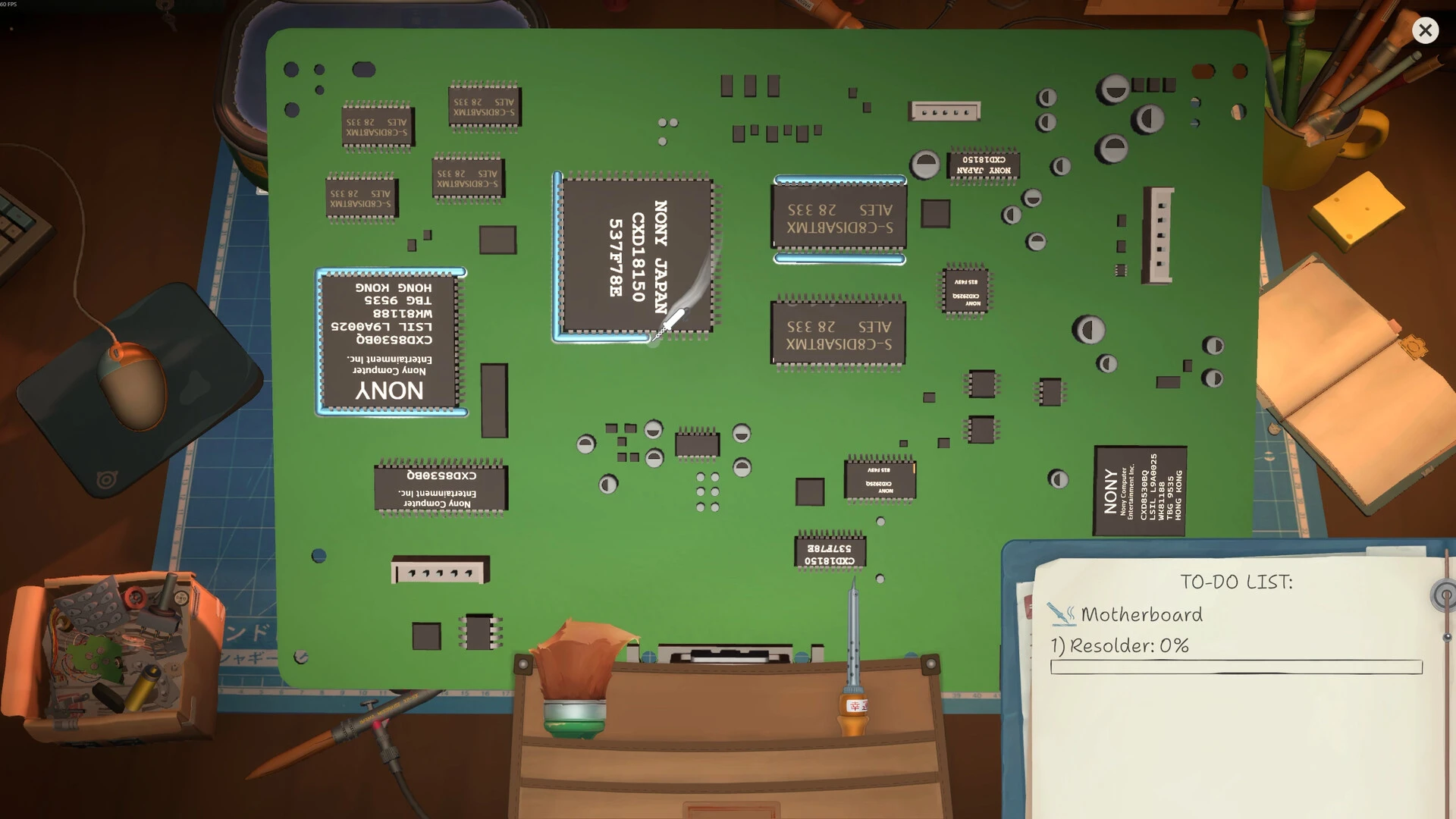
Blue outlines mark valid soldering targets. If they disappear, reset the item state on the table before retrying the tool.
Soldering Stops Working After Cleaning / Sonic Bath
This is a current player-reported state, not a confirmed universal defect. Confirm the part is fully clean, return it to the workbench, re-enter solder mode and look for the blue solder targets. If the targets disappear, protect the save and reload once. When it still reproduces on the current build, report the device, part, cleaner used, exact steps, screenshot and copied ReStory save folder instead of repeatedly heating an unmarked board.
- Confirm the part is fully clean
- Return it to the workbench
- Re-enter solder mode
- Check for blue solder targets
- Protect the save and reload once if targets disappear
- Report build, steps, screenshot and copied save if it still reproduces
Is soldering required for this task?
Use the live Notebook or To-Do and the board interaction state, not the appearance of exposed traces alone. If the job explicitly requests soldering and blue targets appear, soldering is required for that job. If the task does not request it, do not heat the board merely because traces are visible. If soldering is requested but the traces remain silver and no blue target appears after cleaning, stop and use the reversible reset below. A developer confirmed the silver/no-blue-line symptom as a bug; patch 1.0.013r broadly lists soldering fixes, but that does not prove every current save or cleaning sequence is fixed.
| Observed state | What it means | Safe next action |
|---|---|---|
| Task requests soldering; blue targets visible | Required interaction is available | Solder only the marked targets |
| Task does not request soldering | No evidence that this job needs it | Continue the named repair objectives |
| Task requests soldering; lines stay silver/no blue target | Developer-confirmed historical bug may be reproducing | Put down and reselect the part once, protect the save, then report if it persists |
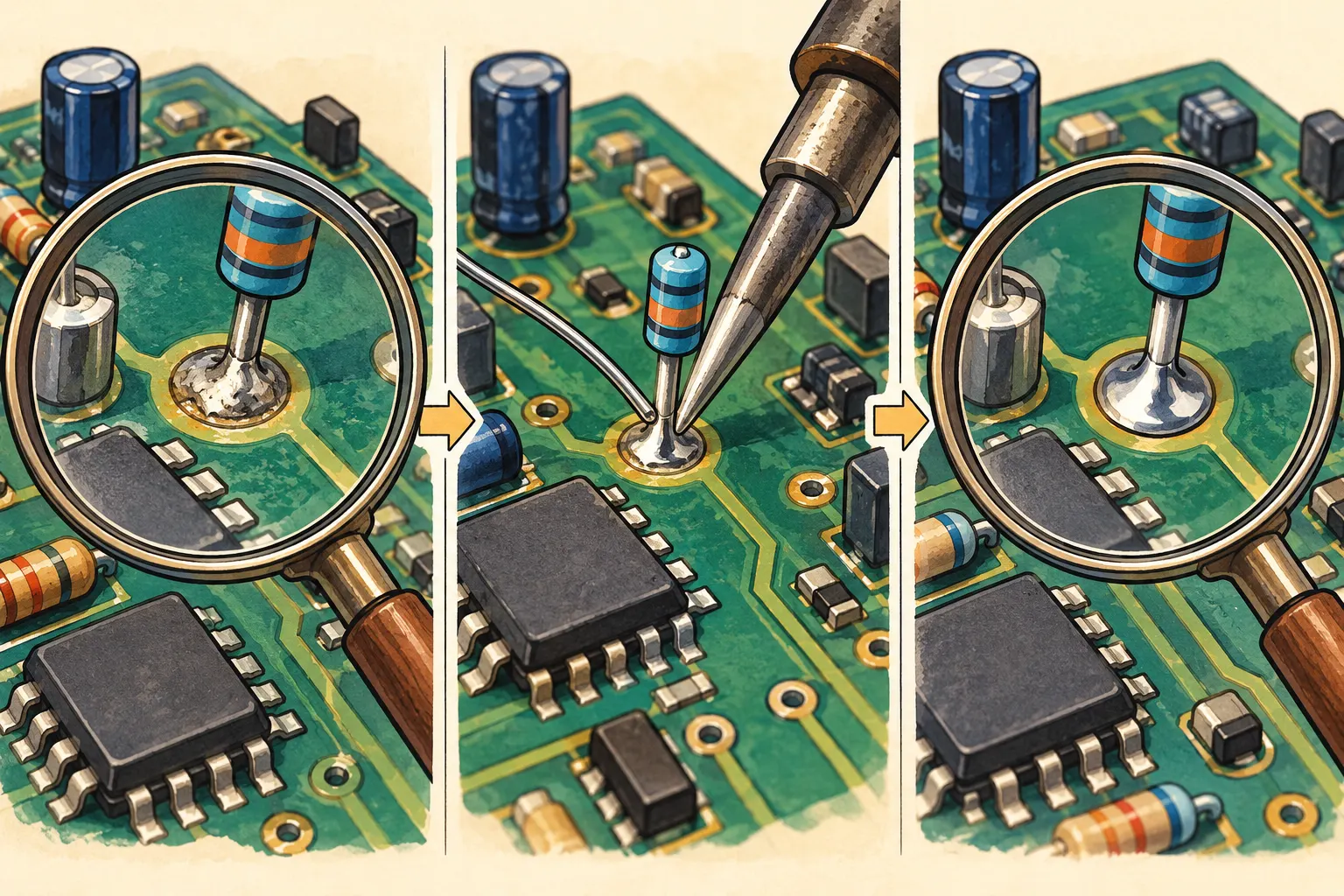
Inspect the task and board before applying more heat; this drawing does not show an in-game soldering target. Original AI-assisted editorial illustration; not an in-game screenshot or a tested result.
September 23 report: unable to solder after cleaning
Status: Player reported / not reproduced here. The Steam Bugs list includes this report, but the listing does not establish a universal cause or guaranteed fix. Use the controlled put-down, replace, reselect, and protected-reload sequence; record device, board, cleaner, build, and result.
What is officially confirmed
In a Steam technical thread about silver solder and missing blue flux lines, a FUNTUL developer replied that the behaviour is a bug and that the team is fixing it. Patch 1.0.011r does not explicitly list this soldering symptom among its published fixes, so updating is still the first diagnostic step, but the issue should not be marked solved solely because that patch is installed.
Version note, not the first troubleshooting step
Official patch 1.0.013r says it fixed soldering bugs, but that broad note does not prove every missing-blue-line case is resolved. The separate September content update is delayed beyond September 21 with no replacement date; see Roadmap. Use the controlled bench reset above for a current-build reproduction and keep the workaround labelled as player reported.
Why cleaning can be the trigger
Current player reports describe the interaction state disappearing after a board moves through Sonic Bath, a parts box, or more than one cleaning tool. The physical part may look clean while the soldering prompt no longer exposes its blue tracks. That pattern suggests a stale interaction state, but it does not prove that every cleaning sequence causes the fault.
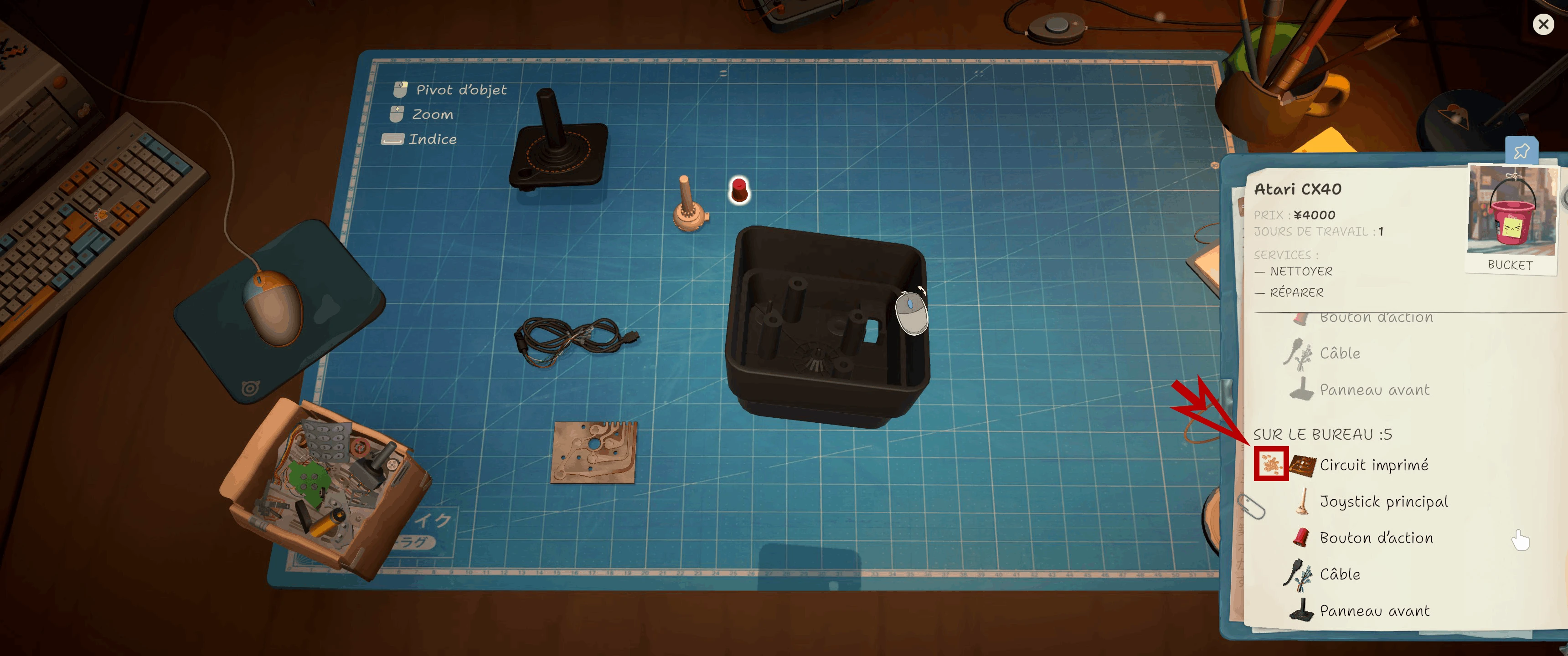
The CX40 notebook marks a dirty circuit board. Check this status before cleaning or replacing a part.
Safe recovery order
Follow one controlled sequence so you know which action changed the state.
| Step | Action | Why |
|---|---|---|
| 1 | Confirm patch and preserve a manual save | Prevents an old build or overwrite from confusing the test |
| 2 | Put down the iron and close the active tool view | Stops repeated input on a stale target |
| 3 | Place the board or part on the work surface, then pick it up | Refreshes the selected object in reported cases |
| 4 | Exit manual cleaning and re-enter | Reloads the interaction layer without abandoning the order |
| 5 | Reload the protected pre-cleaning save | Provides a clean comparison if the state remains broken |
Do not risk a customer's base or frame
Keep accepted customer orders separate from donor inventory. A different reported failure can make an order impossible when its own base or frame is consumed as a donor. Before retrying cleaning or soldering, check that the current order still owns every structural part it arrived with.
How to file a report the developers can reproduce
Use the Steam Technical Issues forum and include the platform, current build, device, order source, exact cleaning sequence, whether Sonic Bath or the parts box was used, and the moment the blue guides disappeared. Add a screenshot or short video. The official reporting guide also asks for the relevant ReStory save folder when possible; compress a copy rather than moving the live folder.
FAQ: Is silver solder without blue lines a bug?
Yes. A ReStory developer confirmed that described behaviour as a bug in the Steam technical forum.
FAQ: Did 1.0.011r fix it?
The published 1.0.011r notes do not explicitly name this soldering issue. Update first, then use the reset order and report a reproducible failure if it persists.
FAQ: Should I keep heating the board?
No. Repeated tool use does not restore a missing interaction guide and makes the test harder to document. Stop, reset the part state, and preserve evidence.
Research links
These are the primary pages used to check the facts and current release context in this guide.
Official information, observable release behavior, and community reports are deliberately separated. A community report is not presented as a universal fix until it can be reproduced or supported by current patch notes.