Six differences that matter when you choose
Think about the task you would look forward to repeating. ReStory puts a customer’s device on the bench. Tiny Bookshop makes the trailer’s shelves, location and readers your focus.
| What you care about | ReStory | Tiny Bookshop |
|---|---|---|
| Daily actions | Inspect, disassemble, clean, replace and reassemble electronics | Stock books, travel to selling spots and make recommendations |
| Customers and story | Repair jobs and conversations in a branching story | Readers and other locals across Bookstonbury’s locations |
| Shop decisions | Budget for parts and equipment around incoming repair jobs | Choose the books to carry, the place to open and the trailer decor |
| Hands-on precision | Work on the parts and surfaces of the device in front of you | Arrange stock and match a request to an available book |
| Current platforms | Released on Steam for Windows and macOS, with Steam Deck support. Mobile status is separate. | Steam for Windows, macOS and Linux, plus the console and mobile versions listed below. |
| Who it suits | Players who enjoy opening and restoring a specific object | Players who enjoy curating a selection and talking to customers |
Choose ReStory if you would rather work at the bench
An order gives you a device and work to complete. Think about the difference between locating a damaged part and deciding what to put on a shelf. If the first decision is more appealing, start with ReStory.
Watch the official ReStory Fuzzby update trailer · See the repair workflow
- You like seeing the layers of an object as you open it.
- You want to spend workshop money on the part or tool a job actually needs.
- You enjoy learning why customers care about an object and choosing how to respond.
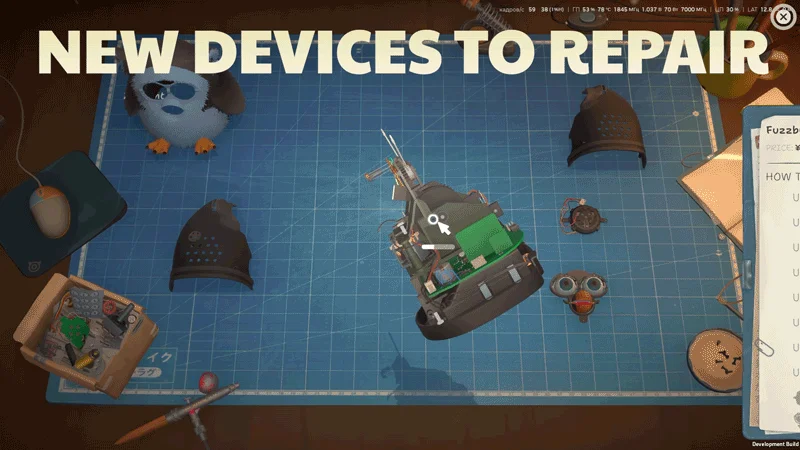
Fuzzby with its shell removed, from the official update announcement. The development-build footage shows the type of work done at the repair bench.
Choose Tiny Bookshop if you would rather curate the shelves
A sale starts with what you stocked and where you parked. When a reader asks for help, consider what their request tells you about the book they might like. If that choice sounds more appealing than opening another device, start with Tiny Bookshop.
Watch the official Tiny Bookshop trailer on Steam
- You enjoy balancing what you like to stock with what customers ask for.
- You want to decorate a travelling trailer and open in different locations.
- You prefer discovering a town through returning readers and other locals.
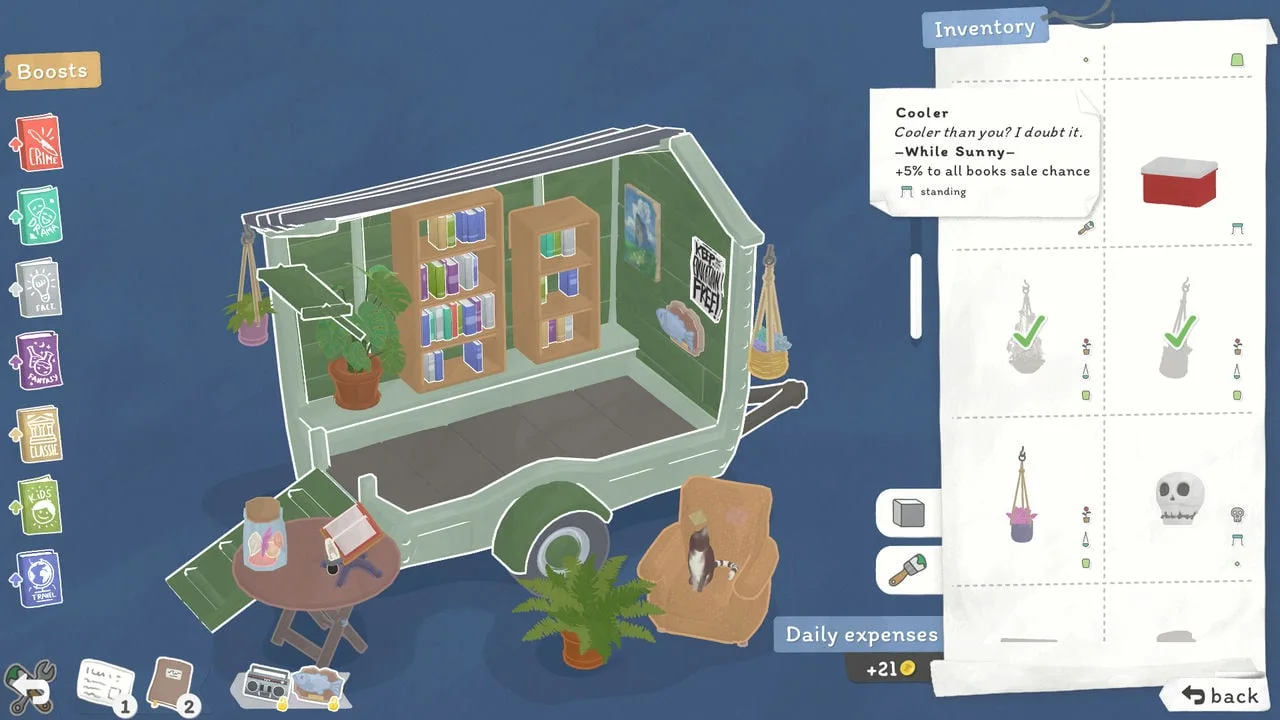
The customization menu shows the bookshop trailer and its decor inventory. Official store screenshot; not captured by ReStory Helper.
Where you can play each game
Checked November 10, 2026. Availability can vary by storefront and region. Check the individual platform listing before buying.
ReStory platform guide · ReStory Android and iOS status · Tiny Bookshop developer platform list
| Platform | ReStory | Tiny Bookshop |
|---|---|---|
| Desktop and Steam Deck | Windows and macOS on Steam. Steam Deck is supported. | Windows, macOS and Linux on Steam. The developer lists Steam Deck. |
| Consoles | Check the ReStory platform guide for current announcements. | The developer lists Switch 1 and 2, PlayStation 5 and Xbox Series X|S. |
| Phones and tablets | Android wishlist and iOS notifications. Check the mobile guide for release status. | The developer lists iPhone, iPad and Android releases. |
Are both games about repair?
ReStory has hands-on electronics repair. Tiny Bookshop is about selling and recommending books from a mobile shop. For more games built around taking things apart or cleaning them, use the activity comparison.
Do both games have customer stories?
Yes. ReStory connects customers to repair jobs and dialogue choices. In Tiny Bookshop you get to know people around town while running the trailer and helping readers.
Does the Steam bundle change platform support?
The bundle groups the two Steam products in one listing. Each game still has its own supported operating systems and storefront availability. Check the individual game’s Steam requirements for the computer you intend to use.
How this comparison was made
This comparison uses the developers’ descriptions, official screenshots and storefront listings checked November 10, 2026. The recommendations follow from the activities each game advertises. They do not rely on playtime, control or performance measurements.